 SaleHero
Menu names in this guide (for example Settings, Integrations) are the ones you see in SaleHero after you sign in. The screenshots show a demo shop.
Connect couriers and GS1
Livrăria, DPD, ShipsGo, Packeta and GS1 România: what to ask for and where to paste it.
Livrăria
Livrăria has no API key: SaleHero signs in with an ordinary Livrăria account. Create a dedicated user for it rather than using a colleague's.
- 1In SaleHero open Integrations, tab Marketplaces, couriers & tools, and expand Livrăria.
- 2Fill in the account e-mail and password. Leave the API URL as it is.
- 3Click Save & verify.
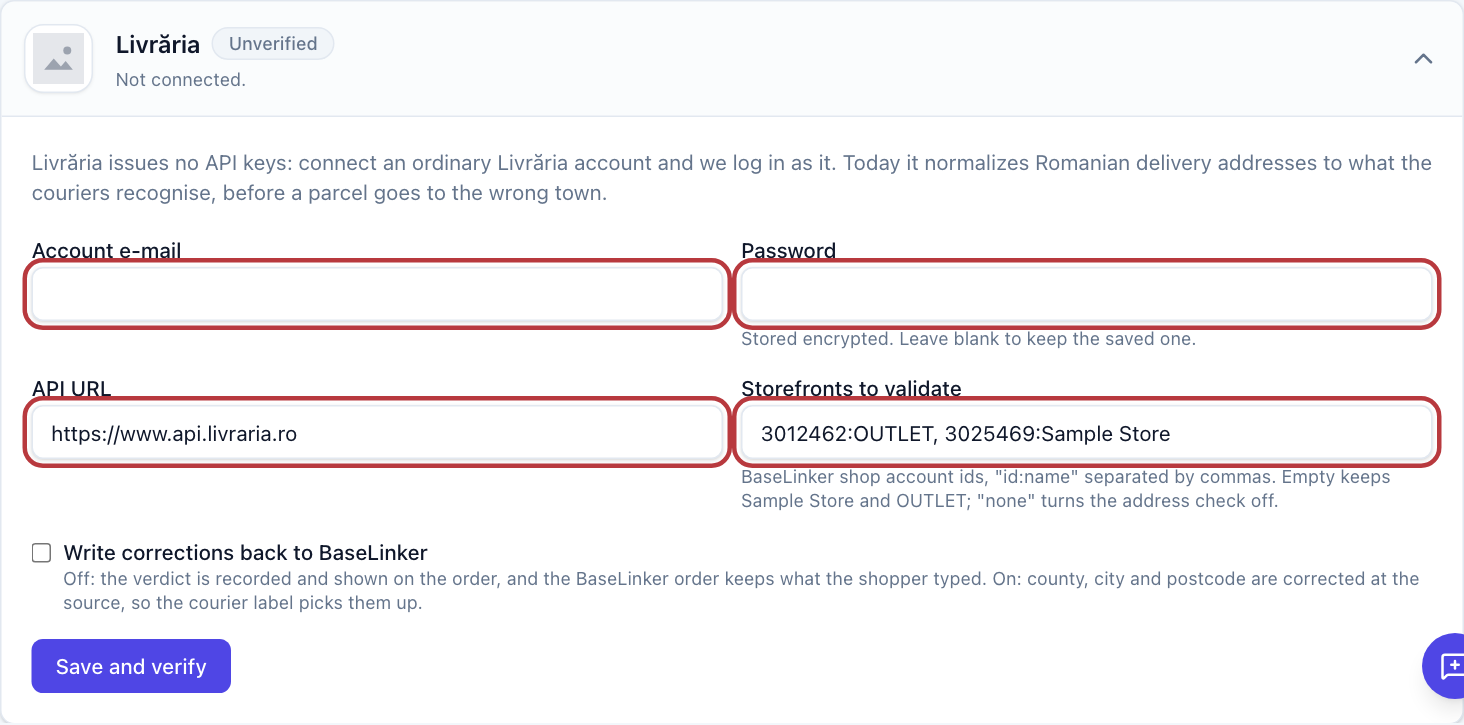
Have courier contracts of your own? In the same card, under the own contracts part, send their credentials to Livrăria: return pickups are then ordered on your contract.
DPD
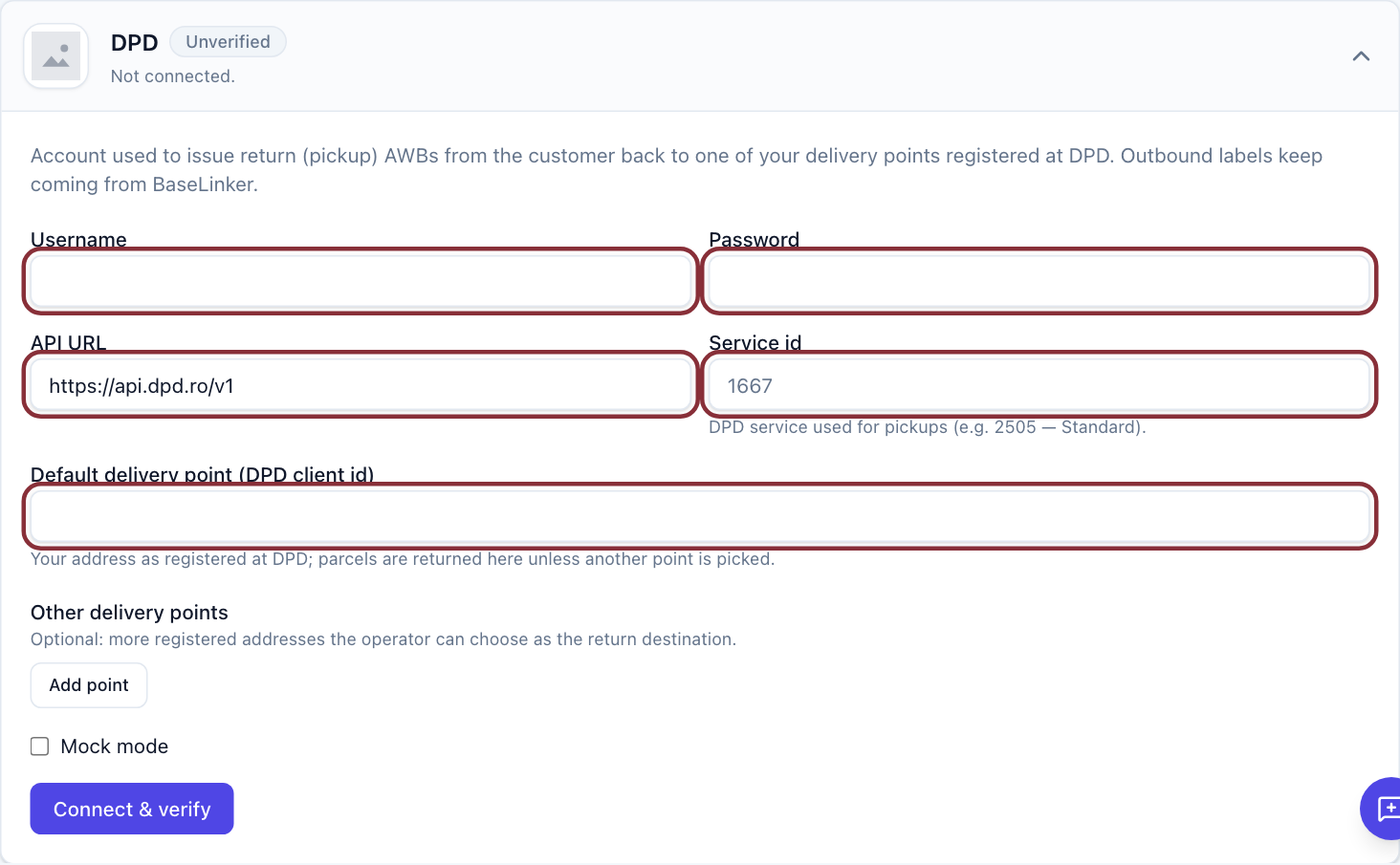
Used to issue return pickup AWBs. DPD gives API access with your contract: ask your DPD sales contact for a web services username and password, and the client id of each address registered at DPD.
- 1In SaleHero open Integrations, tab Marketplaces, couriers & tools, and expand DPD.
- 2Fill in the username and password, the service id (for example 2505, Standard) and, under the default delivery point, your address's DPD client id.
- 3Click Connect & verify.
ShipsGo (container tracking)
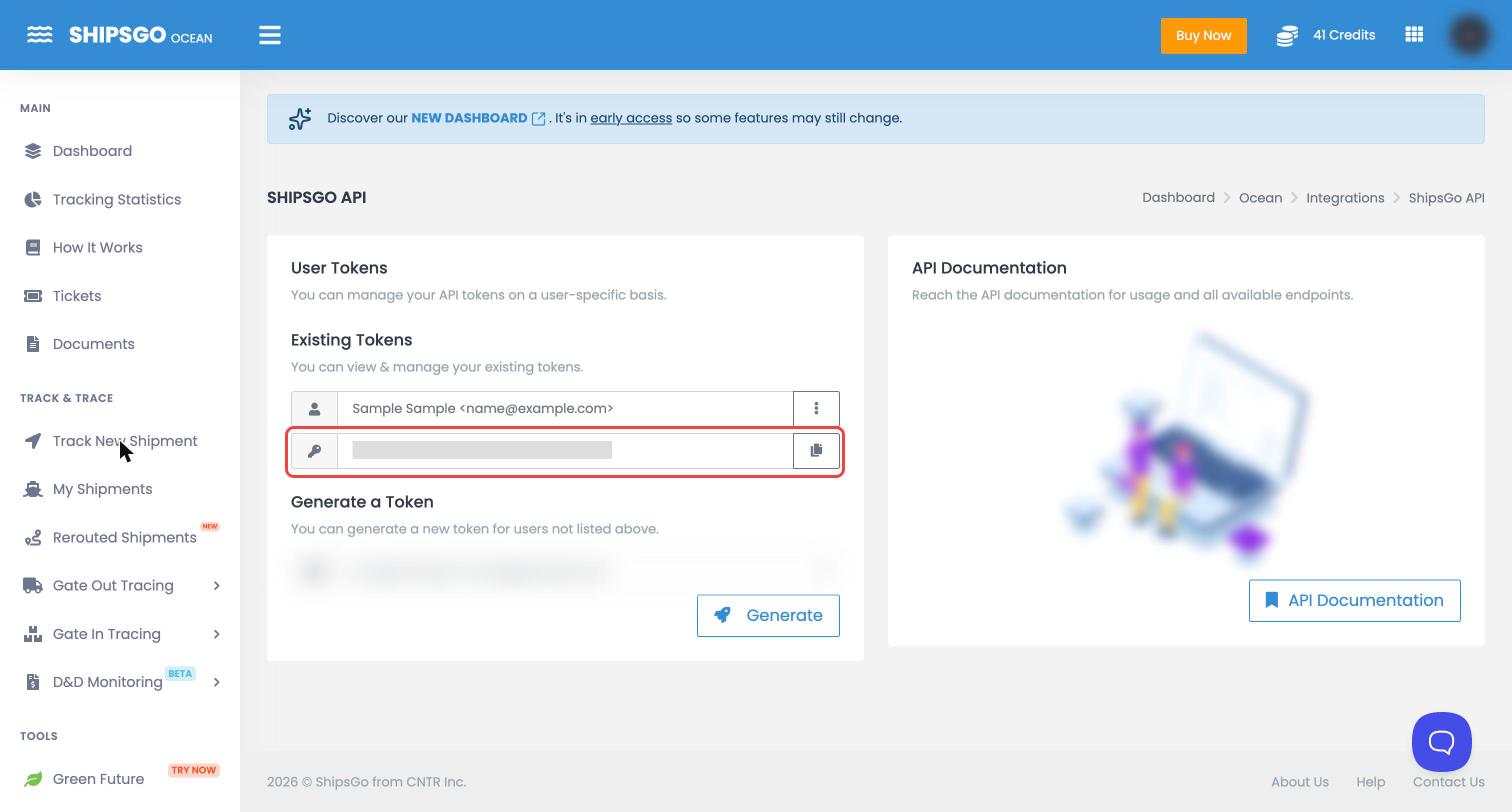
- 1Sign in to ShipsGo and open Integrations, then ShipsGo API.
- 2Under Existing Tokens click the copy icon next to your token. With no token yet, click Generate.
- 1In SaleHero open Settings, tab Modules, find the Container tracking card, paste the key into ShipsGo API key and click Save and verify.
Packeta
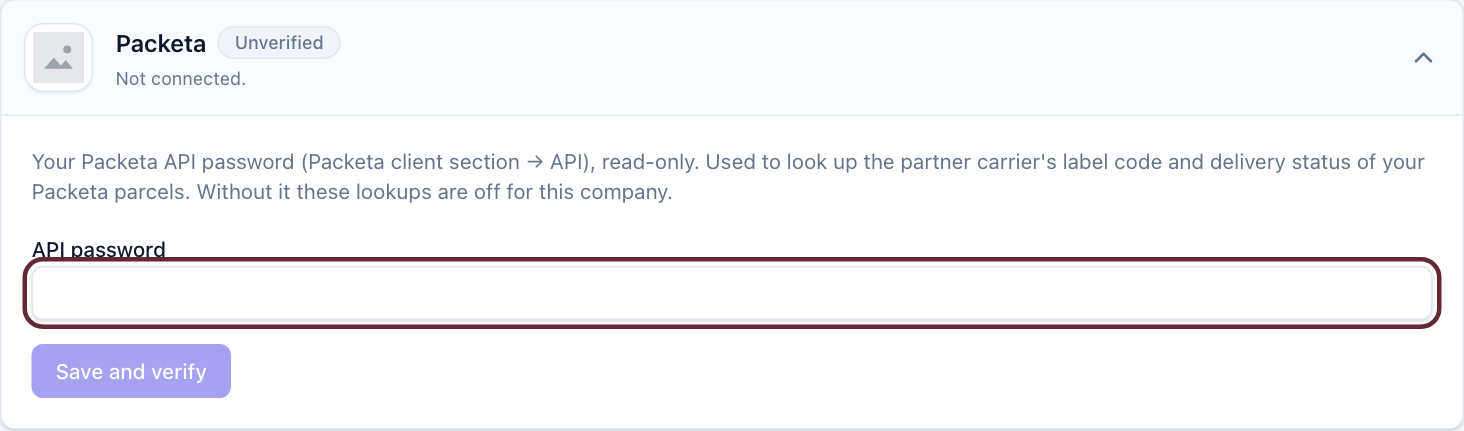
- 1Sign in to the Packeta client section and open the API page.
- 2Copy the API password.
- 3In SaleHero open Integrations, tab Marketplaces, couriers & tools, expand Packeta, paste it into API password and save.
GS1 România
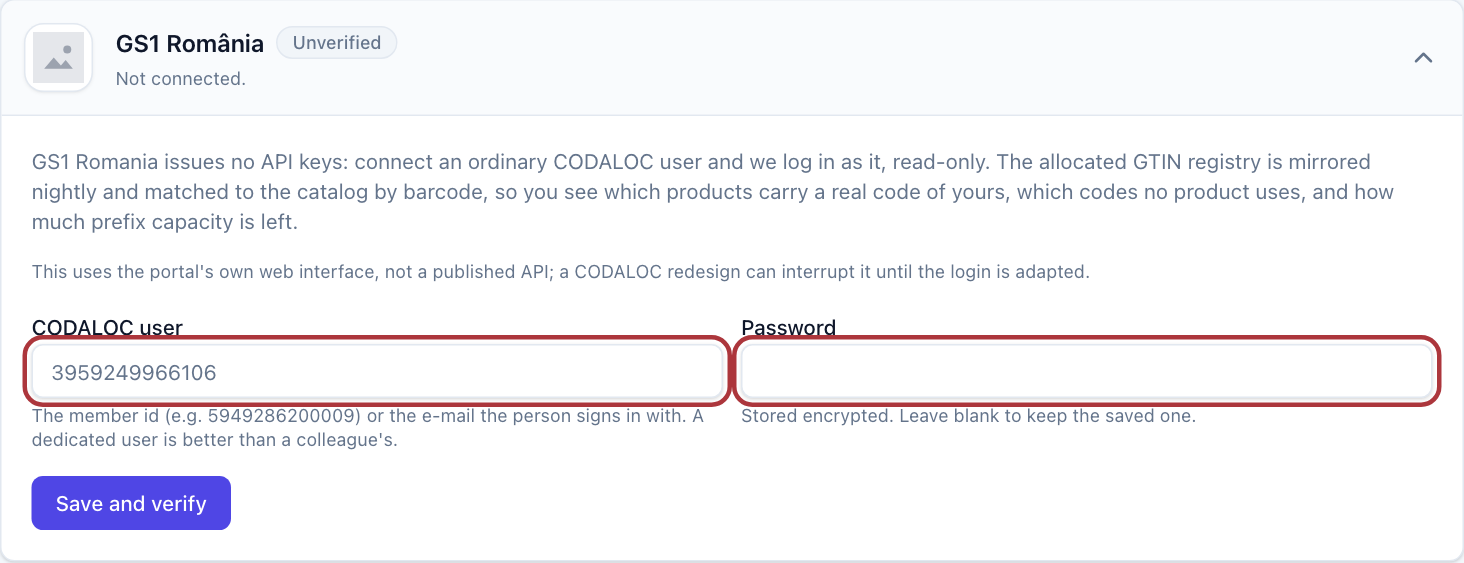
GS1 issues no API keys. SaleHero signs in, read-only, with an ordinary CODALOC user: your member id (or the user's e-mail) and its password.
- 1In SaleHero open Integrations, tab Marketplaces, couriers & tools, and expand GS1 România.
- 2Fill in the CODALOC user and the password, then click Save and verify.
Try it on your own shop
Create an account, connect your tools and the first data lands the same day.