 SaleHero
Ten tabs to answer one customer: where is my order?
Every order from your store and your marketplaces in one list, with the invoice, the AWB, the stock and the history on the same page. Problems are flagged before the customer writes.
BaseLinker order #51207 · Greece
- RecipientΠαπαδόπουλοςPapadopoulos PapadopoulosLatin lettersName in two parts
- StreetΟδός ΕρμούOdos Ermoy 1Latin lettersHouse number added
- CityΑθήναAthinaLatin letters
Written back to BaseLinker, where the label is made.
Romanian orders: courier localities, through Livrăria
Sector 3 BucurestiBucurești, Sector 3
What no rule can fix waits under Address to review.
Sounds familiar?
- A customer asks where the parcel is, and you open the store, BaseLinker, the courier site and SmartBill to find out.
- The same order shows up twice because it came in through the marketplace and again through the aggregator.
- An order sits in a status for hours because the invoice failed, and nobody can say why.
- A courier rejects an AWB over a bad address, and you find out the next morning.
What changes for the team
- A support question is answered from one page, not four tools.
- Duplicates stop inflating the order count.
- Address and invoice problems show up on a list you work through, instead of in a customer message.
- A new colleague learns one screen, not the whole tool chain.
How it works
Orders
- 01
One list, one row per order
Orders from BaseLinker, Shopify, the B2B portal and orders typed by your own staff land in the same list. Marketplaces that reach you through BaseLinker, such as Trendyol or Temu, show up there too. When the same order arrives through two channels, SaleHero keeps the aggregator copy and counts the other as a duplicate, so the total is the number of real orders.
- Search by customer name, phone, company or order code.
- Filter by status and payment, and export what you see to Excel.
- New orders arrive from BaseLinker automatically; Sync now pulls them on demand.
- Press Ctrl or Cmd plus K to jump to an order, a product, a customer, an invoice or a return from anywhere.
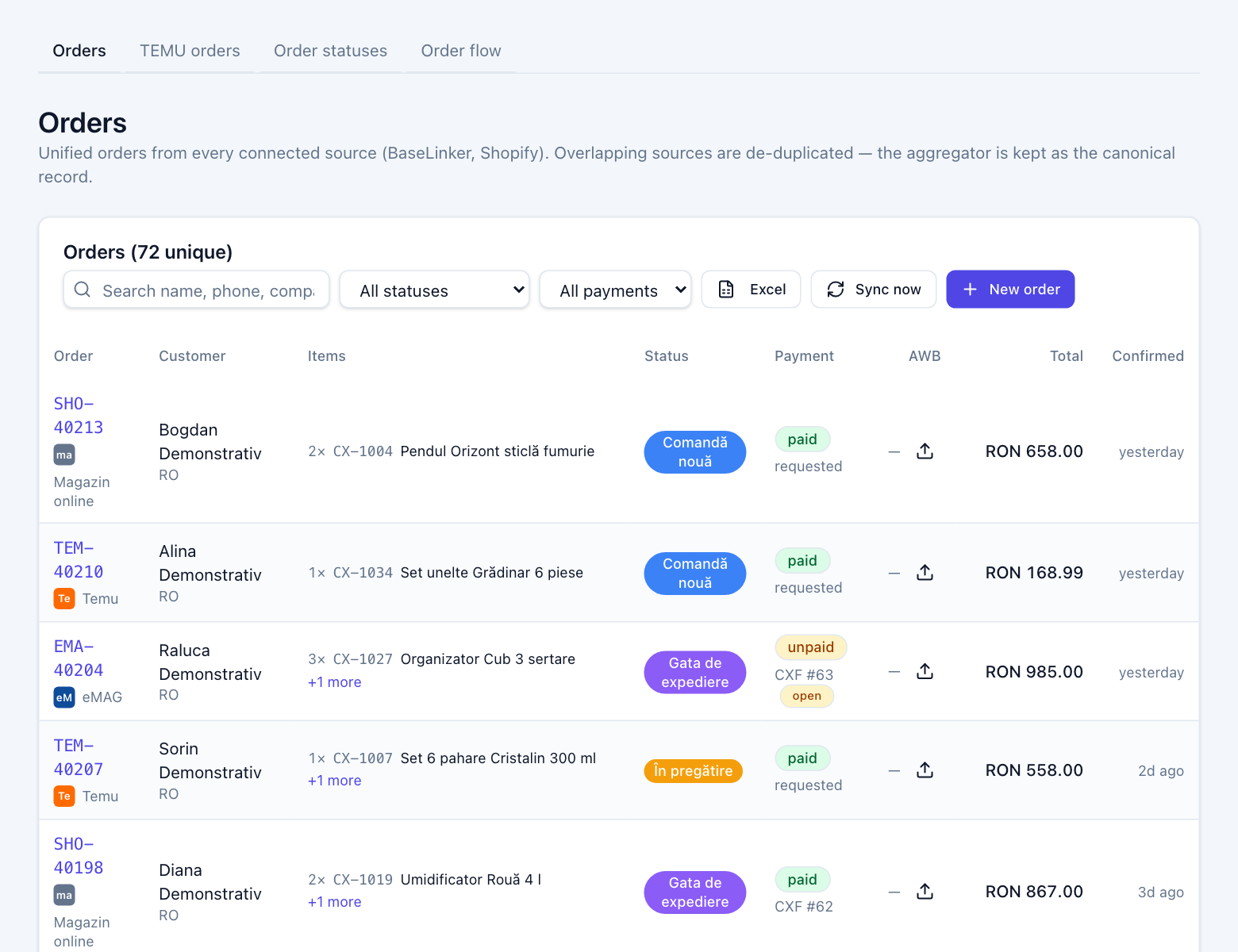
Orders from every channel in one list, with the status, payment and AWB columns. - 02
Everything about the order on one page
The order page shows the billing, shipping and payment details, the items with EAN, price and VAT, the courier label, the invoice and the timeline. Two stock panels check each line against the warehouse and against SmartBill, so you see a red Short before you promise a date.
- Attach an AWB, or create a DPD AWB from the order.
- Issue the invoice in SmartBill from the order, with series, warehouse and VAT.
- Change the status here and it is pushed to BaseLinker. If BaseLinker is down, SaleHero keeps the change and retries for up to 24 hours.
- The returns and cases of the order, and your team's comments, are on the same page.
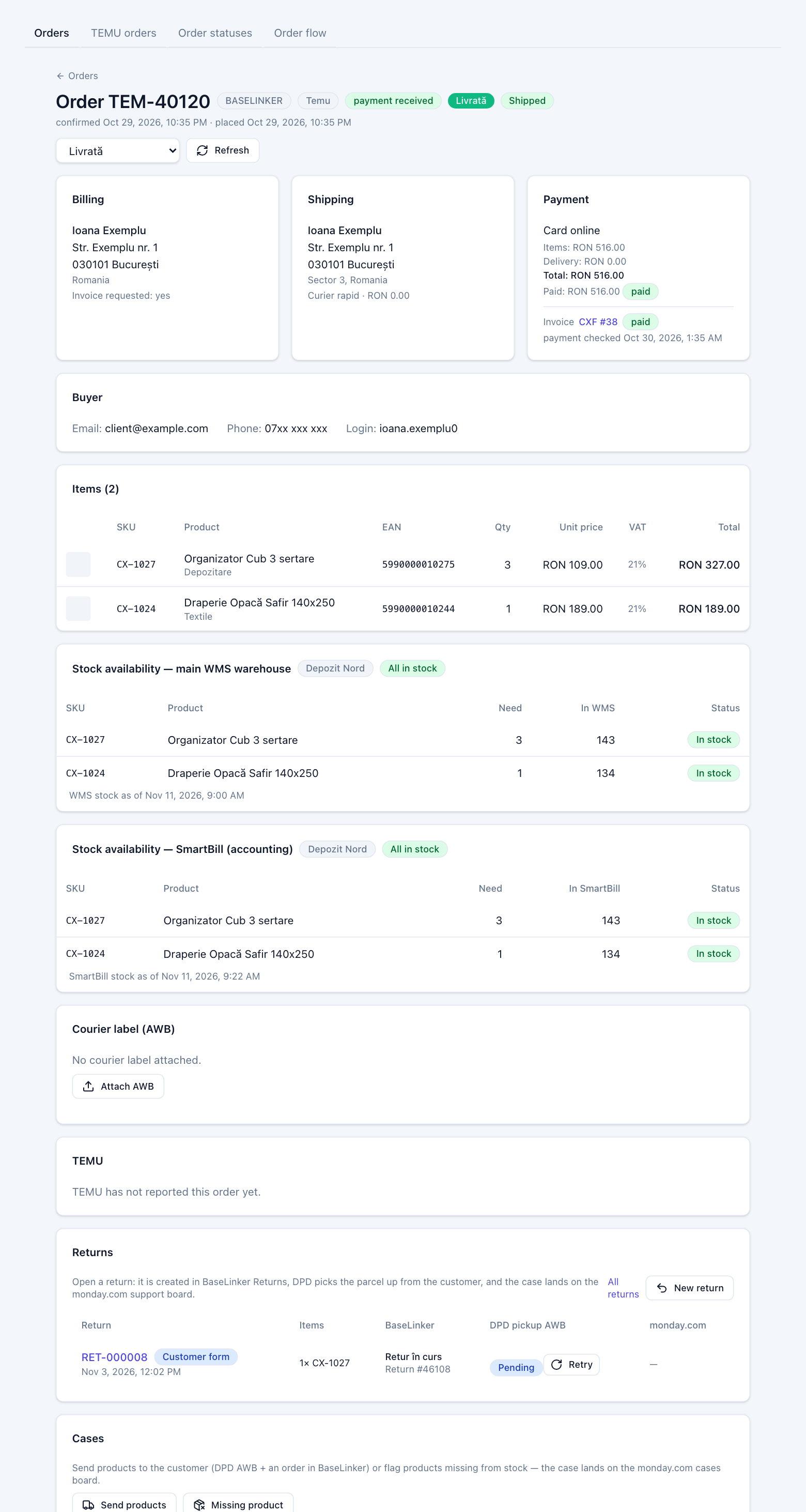
Stock check per line, the AWB, the returns and the timeline of one order. - 03
Bad addresses are fixed before the courier sees them
For BaseLinker orders, SaleHero cleans the delivery address as the order arrives. It writes Cyrillic and Greek names in Latin letters, repeats a single-word recipient name so the label has two parts, and adds a house number when there is none. The fix is written back to BaseLinker. The address is also compared with the courier's list of localities through Livraria, and a mismatch is proposed to you, not changed silently. What cannot be fixed by rule lands under Address to review.
- Shipped, delivered, cancelled and returned orders are left alone.
- The automatic fix can be switched off for your organisation.
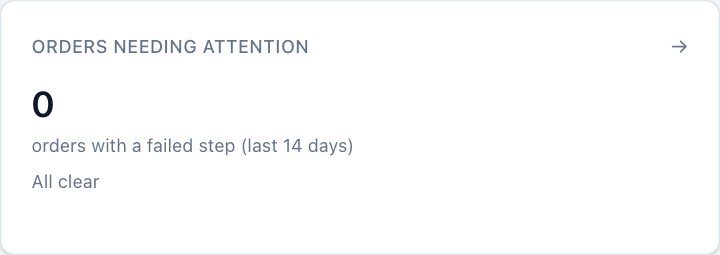
The dashboard counts orders with a failed step: no invoice, no AWB, status or address not pushed, address to review. - 04
When the invoice does not go out, you see why
Every two minutes SaleHero looks at orders that sit in a status where an invoice should have been issued. For company orders it checks the tax code format and control digit, asks ANAF whether the company exists and is active, and corrects the legal name, the RO prefix and blank address fields in BaseLinker. For an order stuck for three minutes or more, it names the likely cause on the order page: stock missing in the warehouse, stock missing in SmartBill, a client that SmartBill is likely to reject, or something else.
- A client rejection is inferred, because BaseLinker does not pass on SmartBill's error text. The card says so.
- Choose which statuses are checked on the Order statuses tab.
- Needs BaseLinker and SmartBill. The company check can be switched off.

The order page names the cause: here, SmartBill has no stock for one product. - 05
Customers, not just orders
SaleHero groups orders by email and phone into one customer page with totals, orders, returns, refused parcels, notes and a timeline. Search by name, company, email, phone or CIF; a phone search matches the last nine digits, so a number typed with or without +40 finds the same person. Duplicate customers are suggested for merging. If WATI is connected, the customer page also shows the WhatsApp conversation, read-only.
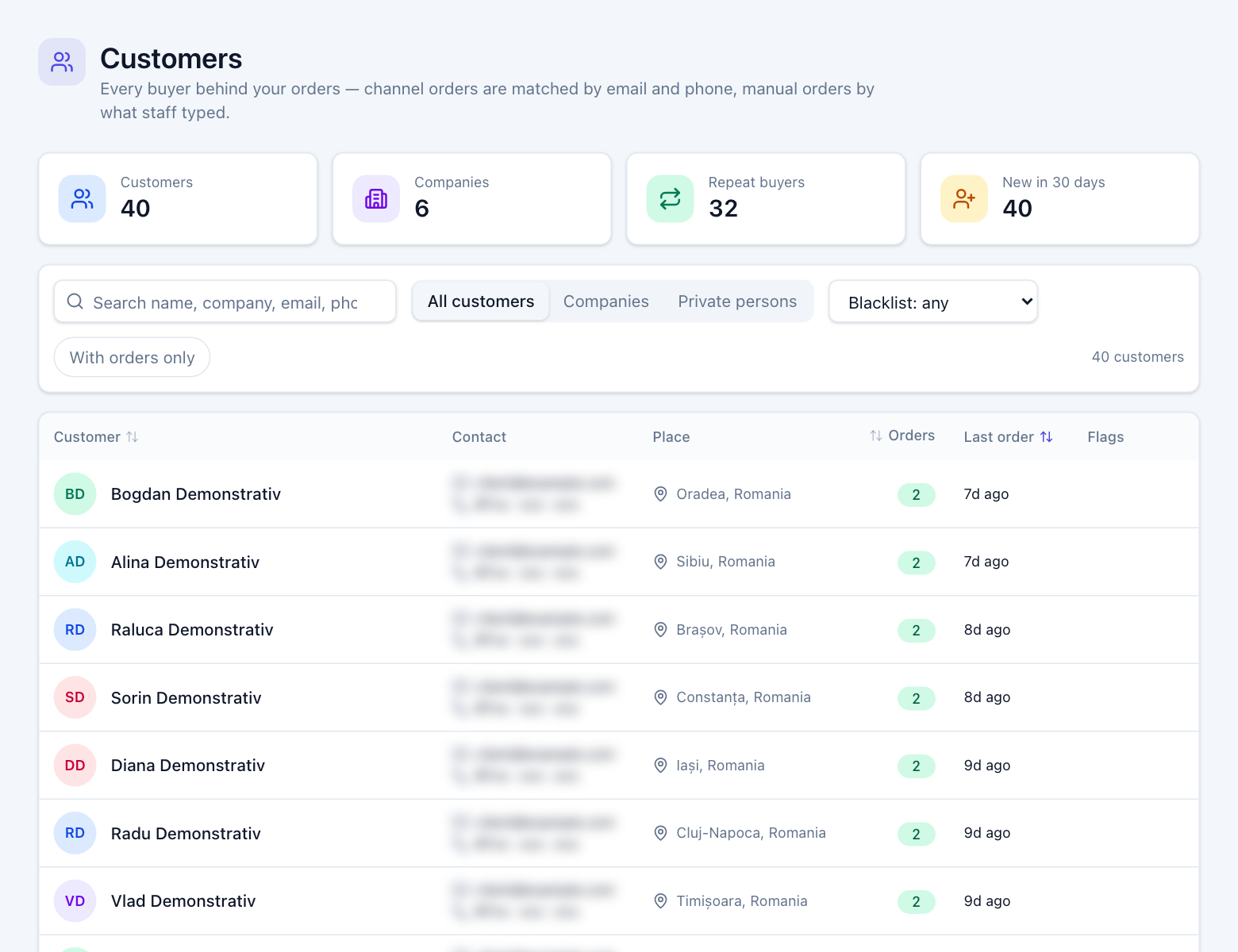
Every buyer behind your orders, in one list.
Works with the tools you already use
SaleHero reads from and writes to these. You keep your accounts.


Questions we get
Do I need BaseLinker?
For automatic import, address fixes and the invoice checks, yes: SaleHero reads orders from BaseLinker. Shopify and B2B orders are also supported, and staff can type an order or import one from Excel.
Does SaleHero replace BaseLinker or SmartBill?
No. BaseLinker stays your order and warehouse system, and SmartBill stays your invoicing. SaleHero reads from them, writes back the status and address changes, and puts the results on one page.
Will it change my customers' addresses without asking?
Only the mechanical fixes: Latin letters, a two-part recipient name and a house number. A locality that does not match the courier list is only proposed. You can switch the automatic fix off in the settings.
How reliable is the invoice diagnosis?
Stock causes are read from the warehouse and SmartBill, so they are firm. A client problem is inferred, because the error text from SmartBill is not available, and the page labels it that way.
See it on your own numbers
Connect your tools and the first data lands the same day.