 SaleHero
The stock in SmartBill says one thing, the shelf says another.
SaleHero puts your accounting stock and your warehouse stock side by side, SKU by SKU, and shows you where they disagree and why. You fix the cause, not the symptom.
LED-4021 · main warehouse
- Opening balance120
- Receptions+48
- Invoiced−61
- Expected107
- SmartBill reading104
Status per SKU
- Match
- Reception lag
- Surplus
- Deficit
- No reading
What is left over is a lead, not a verdict.
Sounds familiar?
- You sell a product that the warehouse no longer has.
- The accountant and the warehouse manager never quote the same number.
- After inventory day nobody knows which gap was a mistake and which was a late reception.
- Dead stock sits for months and nobody notices until the year-end count.
What changes for the team
- Accounting and the warehouse look at the same list.
- You see which differences are late receptions and which are real losses.
- Out-of-stock and dead stock reach you as tasks, not surprises.
- A check sheet goes to the shelf, and the answer comes back with a name and a date.
How it works
Stock you can trust
- 01
Two stocks, one screen
The inventory view shows your accounting stock from SmartBill and your warehouse stock from BaseLinker, with a switch between them. Each SKU has on hand, incoming, sold, revenue, profit and coverage in days.
- The warehouse figure is BaseLinker's available stock, net of reservations, so it can be negative.
- The accounting figure is the last SmartBill reading minus what was invoiced since.
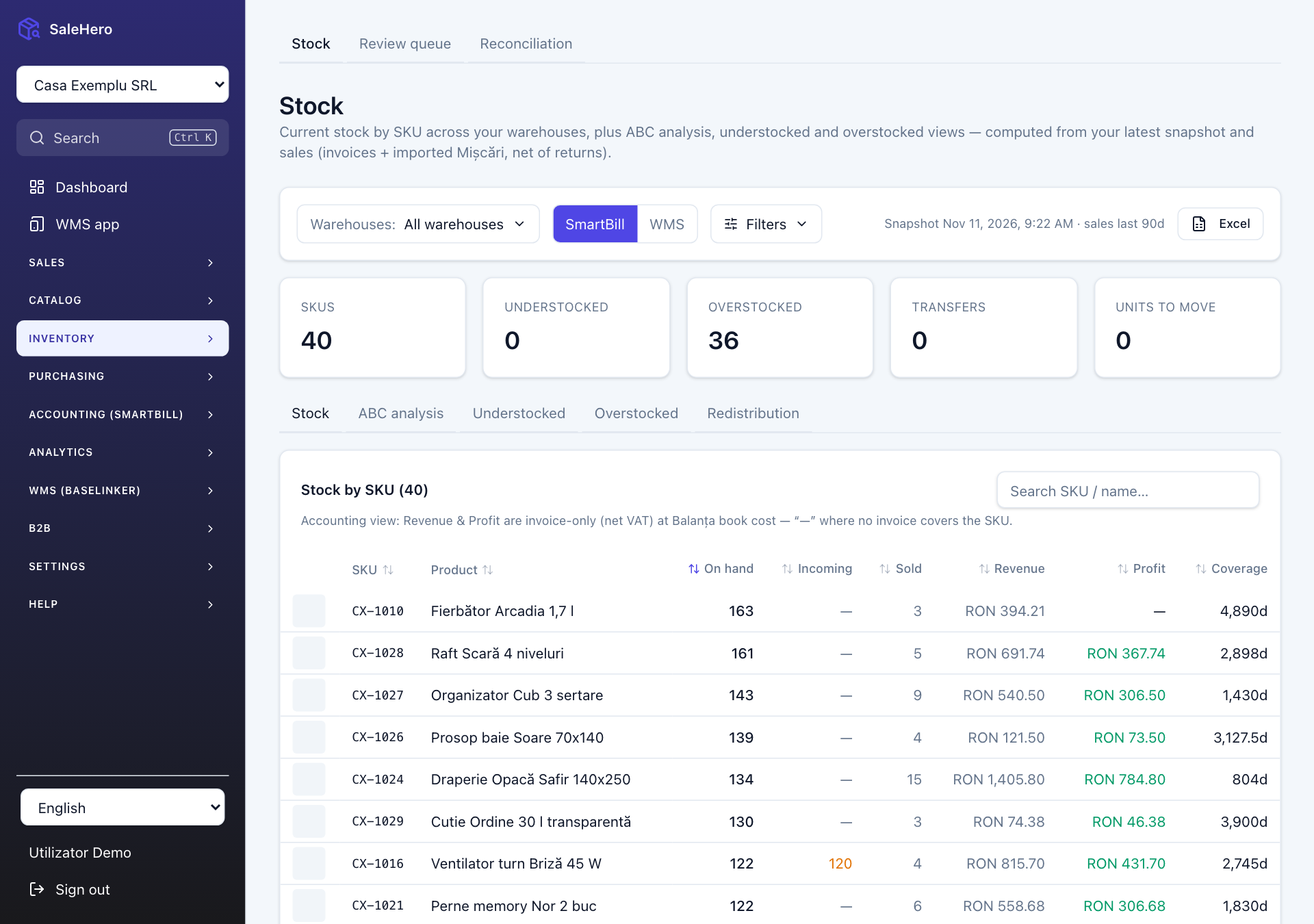
Stock by SKU, accounting or warehouse. - 02
Reconciliation, SKU by SKU
SaleHero compares the two stocks for every SKU between the warehouses you map. A row is fine, different, missing in the warehouse or missing in accounting. Stock that is parked on purpose is explained, so it does not look like an error.
- Confirm a row to record who checked it and when. Confirming changes no stock.
- If the warehouse stock moves after you confirmed, the row tells you.
- Export to CSV, or print check sheets to take to the shelf.
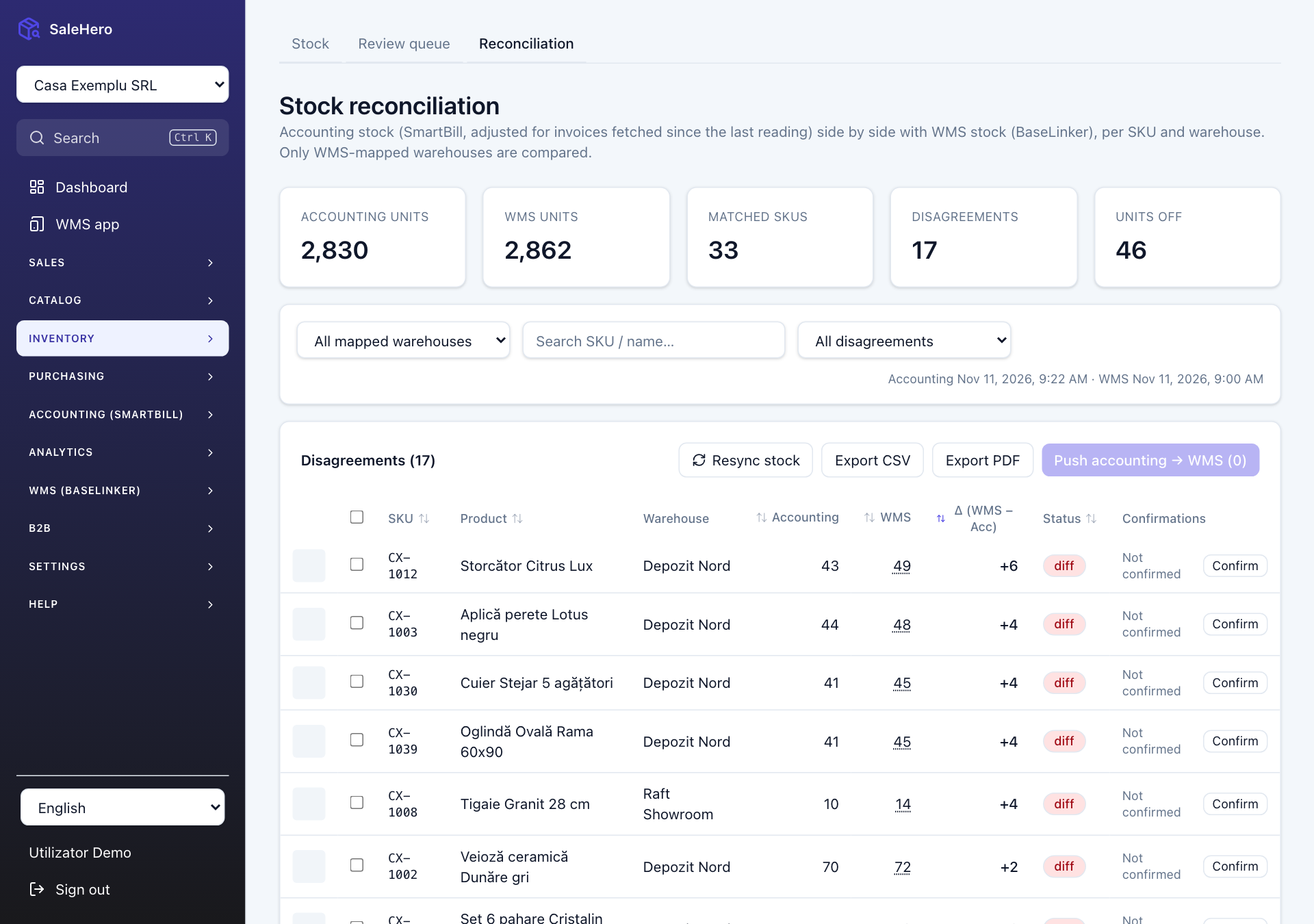
Accounting and warehouse stock side by side, with the gaps counted. - 03
A ledger that explains the gap
For accounting stock, SaleHero rebuilds the movements: opening balance, then invoices and receptions, compared with the SmartBill reading. The result is a status per SKU: match, reception lag, surplus, deficit or no reading. What is left over is a lead, not a verdict.
- Import SmartBill's movements report. Importing the same period twice is safe.
- Import the stock balance to see value per warehouse and SKU.
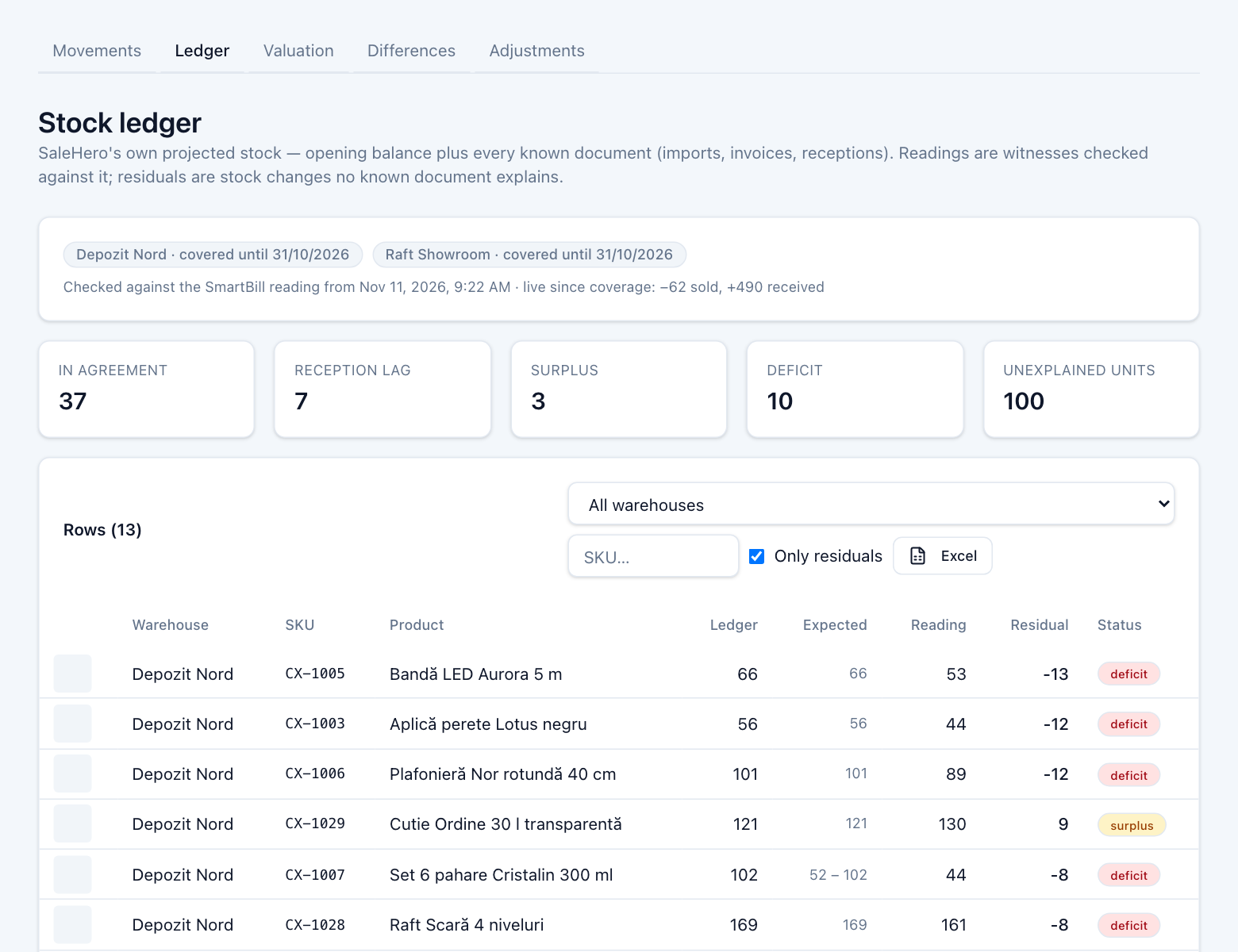
Opening balance, movements and the residual. - 04
What changed between two readings
The history of readings shows which SKUs are new, increased, decreased or removed, with a quantity chart. For stock that is wrong in the opposite direction on two SKUs, SaleHero suggests the pair and exports a CSV you can enter in SmartBill.
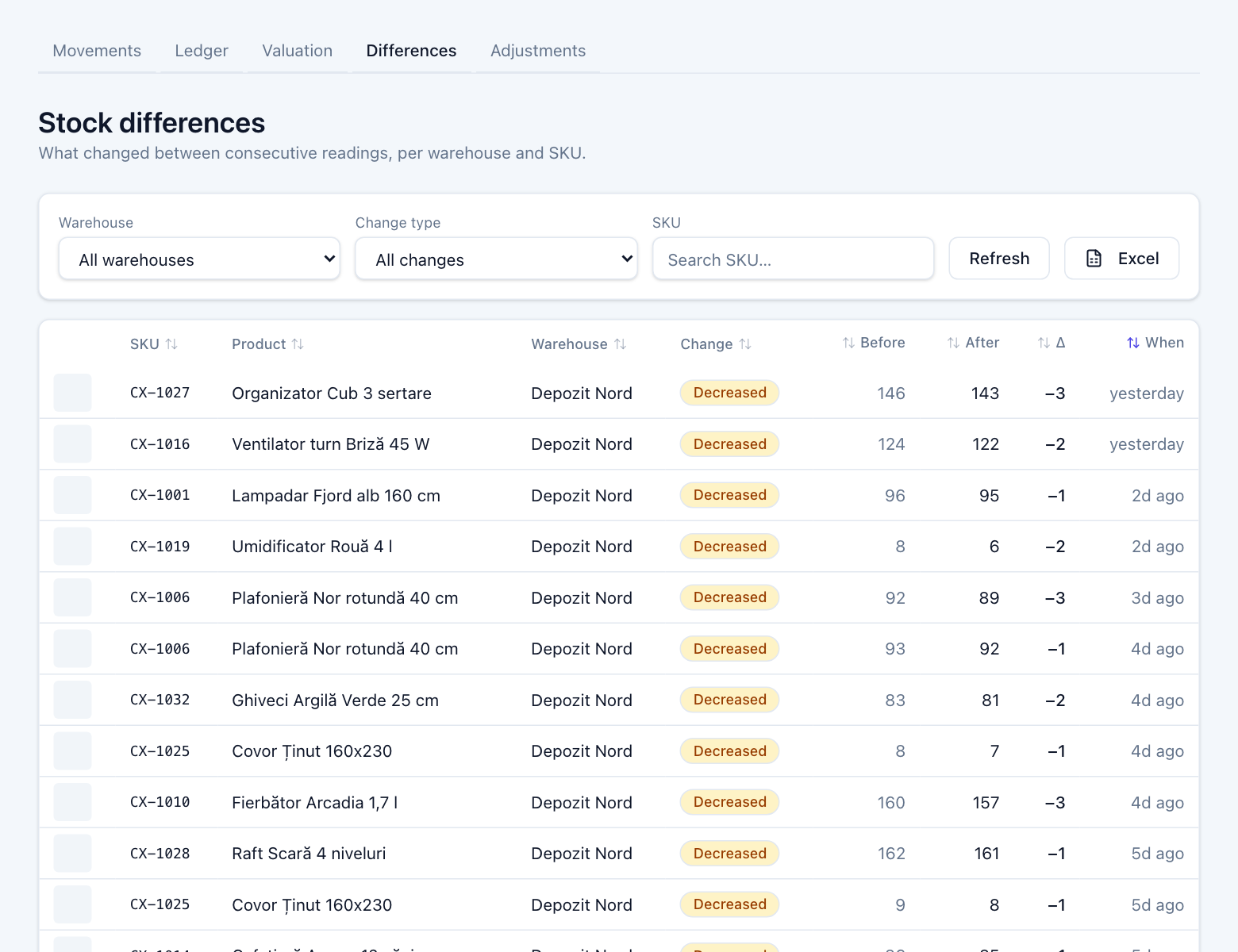
Before, after and the change. - 05
A to-do list instead of a report
The review queue turns the data into tasks, ranked P0, P1 and P2: a key SKU out of stock, a product that loses money, dead stock, money tied up in overstock. You mark each one Done, Snooze or Dismiss. The queue only advises. It never changes stock or prices.
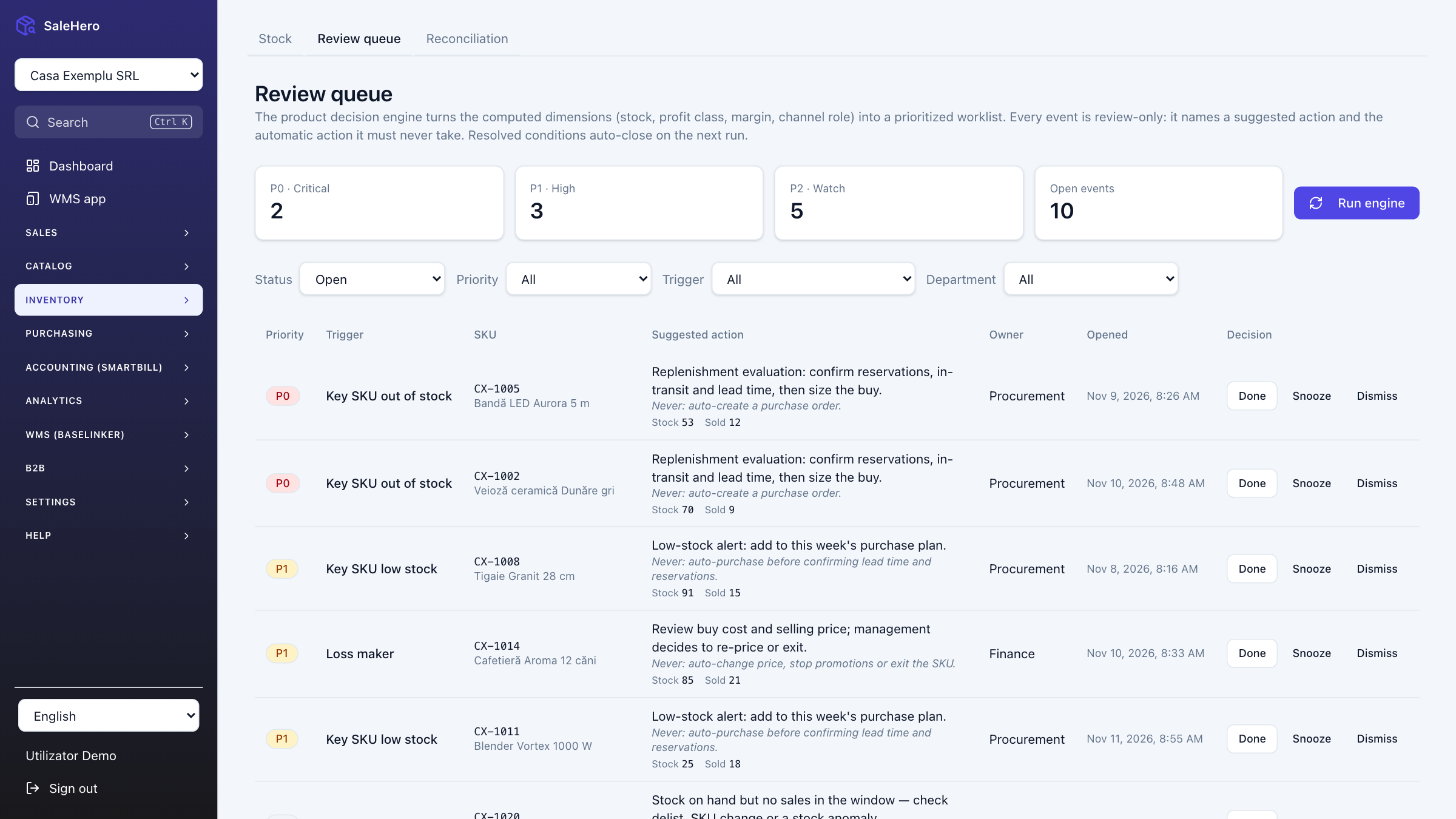
A worklist ranked by priority, not a report.
Works with the tools you already use
SaleHero reads from and writes to these. You keep your accounts.


Learn it step by step
The guide pages that walk through this.
Questions we get
Does SaleHero change my stock?
Confirming a row and the review queue change nothing. There is one action that writes, pushing accounting stock to the warehouse, and it is meant for use after you have counted. Nothing writes by itself.
Why can the warehouse stock be negative?
BaseLinker reports available stock after reservations. When more is reserved than is on the shelf, the number goes below zero, and SaleHero shows it as is.
SmartBill does not list every invoice. Is the ledger still right?
SmartBill does not expose a full invoice list, so SaleHero follows invoices by series. The ledger says how much of each warehouse it covers, so you know what the residual is worth.
Do I need BaseLinker?
The warehouse side of the comparison reads BaseLinker. Without it you still get the accounting views: movements, ledger, valuation and differences.
See it on your own numbers
Connect your tools and the first data lands the same day.