 SaleHero
I sell every day, but I can't tell what I actually earn.
SaleHero puts the full cost on every product, in every channel and country: purchase, customs, VAT, transport, commission. You see the margin that is left, not the one you hoped for.
Ceiling light LED-4021 · eMAG · Romania · one unit
- Invoice priceSmartBill, ex VAT62.40
- Customs2.7%1.68
- Import VAT21%13.46
Cost of goods77.54
- EPRper unit0.45
- Transportper unit14.00
- CommissioneMAG 18%41.40
Cost per sale55.85
Full cost133.39
Margin
42.0%
(229.99 − 133.39) ÷ 229.99
Sounds familiar?
- Revenue grows, but the bank balance doesn't.
- A product sells well on one marketplace and you suspect it loses money on another.
- Commission, transport and customs live in three different spreadsheets.
- You raise prices by feel and find out months later if it worked.
What changes for the team
- You know which products and channels pay and which only add work.
- A price change is judged on margin, not on sales alone.
- Missing cost data shows up as a warning, not as a wrong number.
- Ad spend and profit sit on one screen.
How it works
Real profit
- 01
One cost per unit, built from your own data
For each product, channel and country SaleHero shows the invoice price, customs, VAT, cost of goods, EPR, transport and commission. They add up to a full cost per unit and a margin.
- Filter by date, channel and country, in RON or in the native currency.
- Open a row to see the same product split by channel and country.
- Foreign orders convert at the BNR rate of the day the order was confirmed.
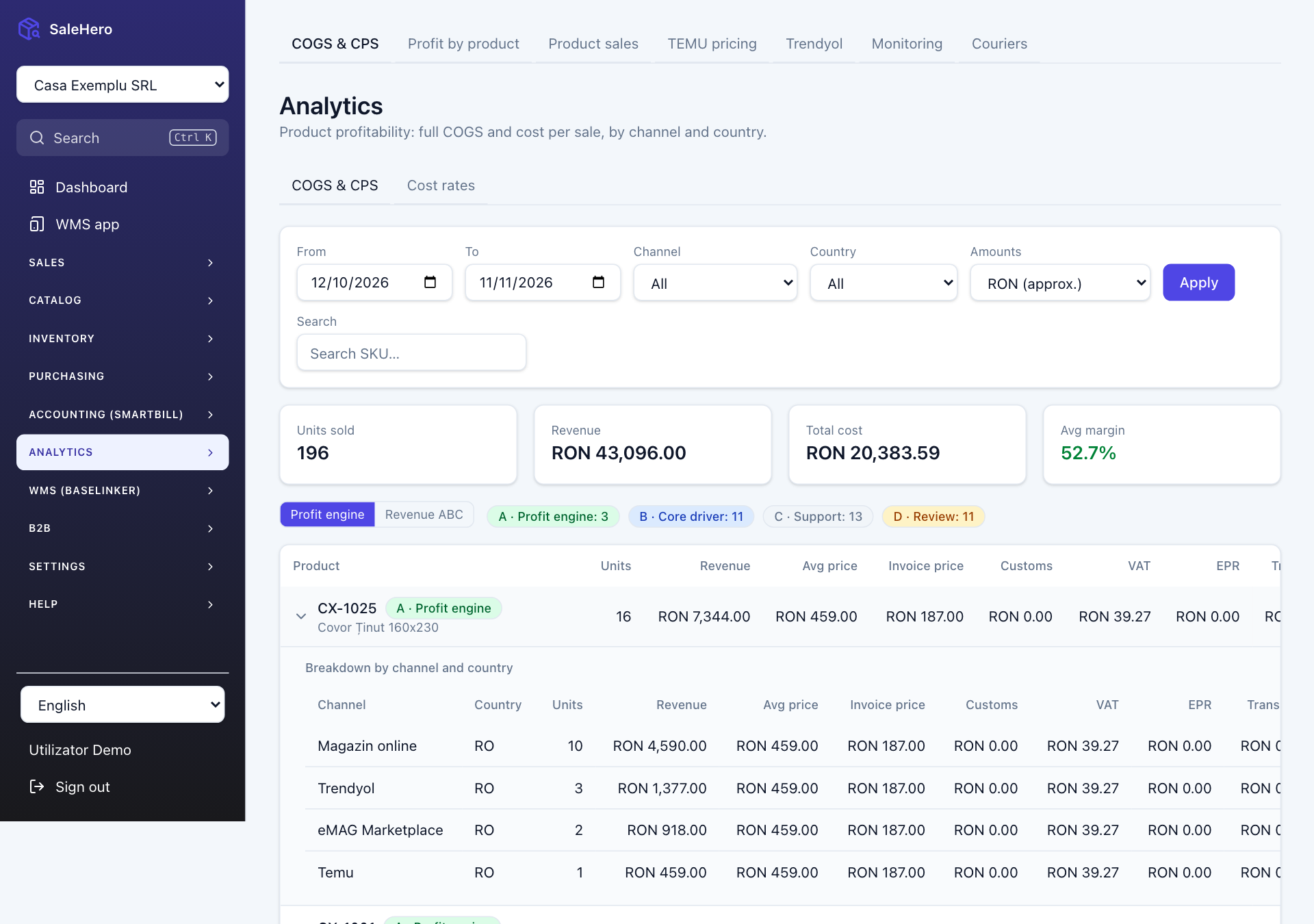
One product, opened by channel and country. - 02
The cost always comes from the best source you have
SaleHero looks for a cost in a fixed order: SmartBill stock movements first, then stock valuation, reception cost, the product's own cost, and last an estimate from landed cost. A product with no cost at all gets a red badge, so a hole in the data never hides as a good margin.
- A warning counts the products that still have no cost.
- Only confirmed orders count. Duplicates, cancelled and returned orders stay out.
- 03
Cost rules that follow your business
Purchase VAT, customs, EPR, transport and commission are rules you set by country and channel. The most specific rule wins. Where a marketplace sends a settlement report, the real commission from the report replaces the rule.
- Settlement reports are read for TEMU and Trendyol.
- One button seeds the import VAT and customs rules for your countries.
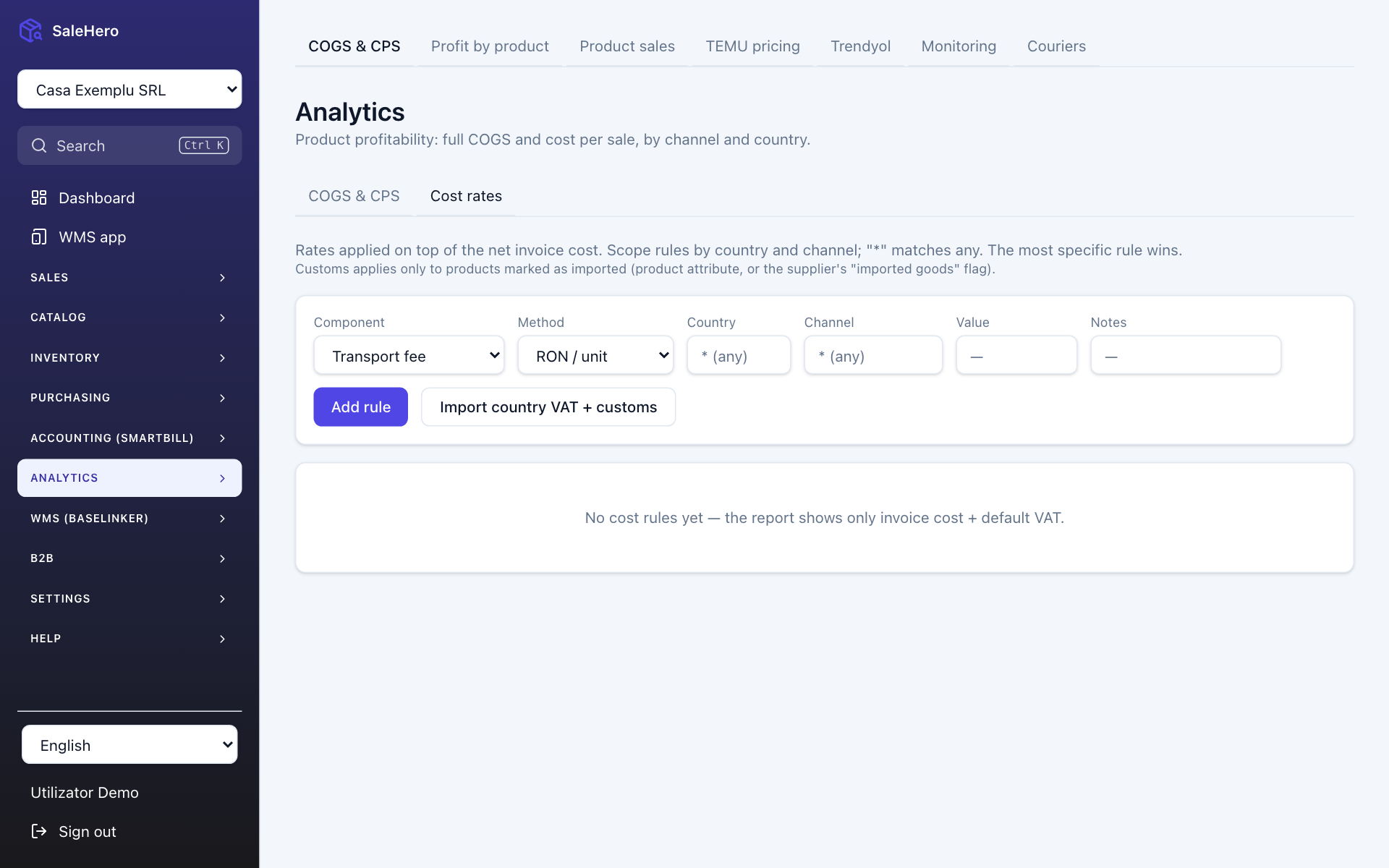
Rules by country and channel; the most specific one wins. - 04
Ad spend next to revenue
Google Ads and Meta Ads spend syncs every day. For each channel you see revenue, orders, spend, ROAS and the cost per order, with daily charts and a table by country. A channel is a group of your order sources plus its ad accounts.
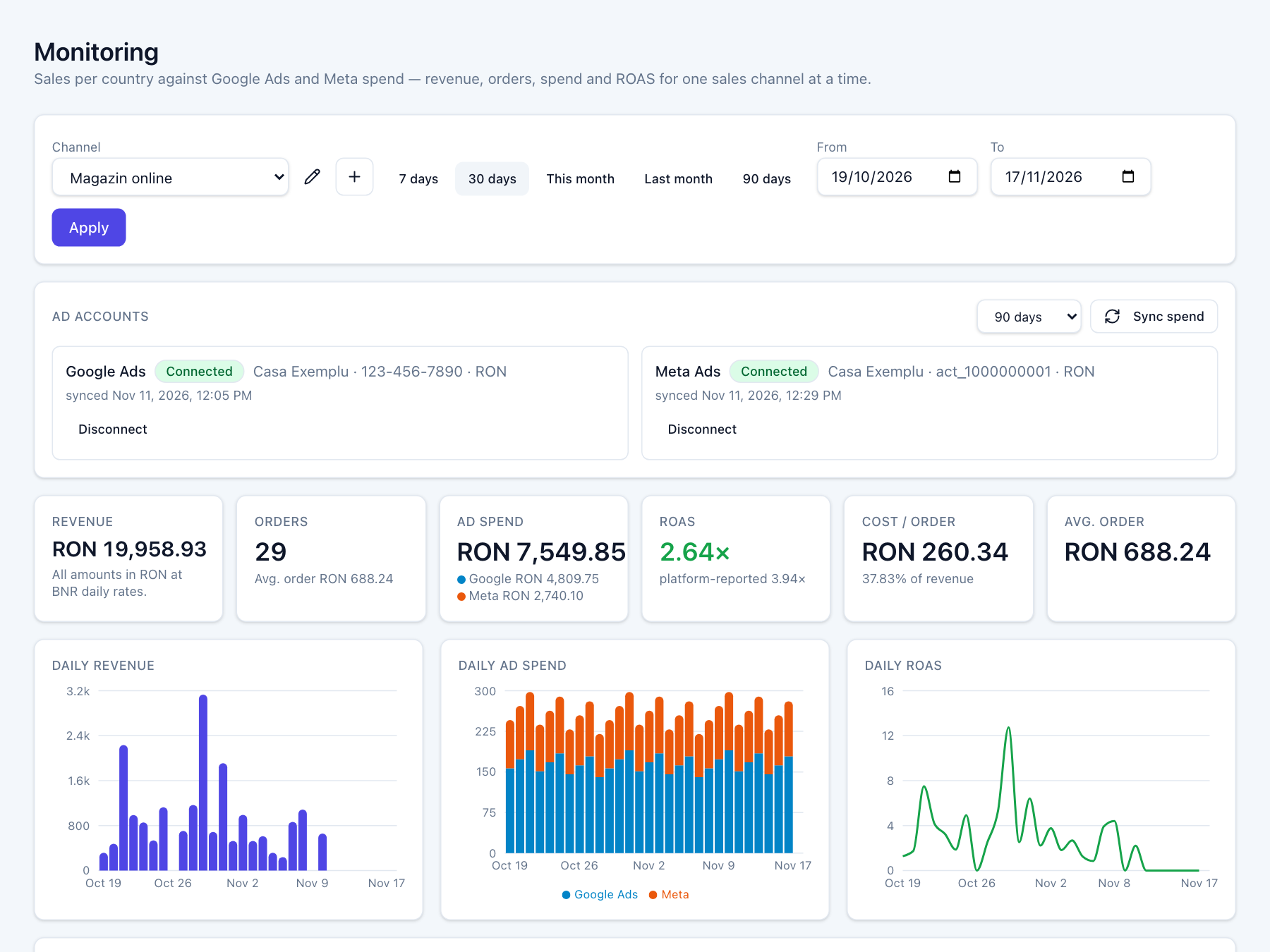
Revenue and ad spend for one channel, side by side. - 05
A short list of what carries the business
Products are ranked A, B, C and D by their share of profit. A is the group that brings the first 40% of profit, B reaches 75%, C reaches 95%, and D is the rest, marked for review. You can change the thresholds for your company. A ranking by revenue is there too.
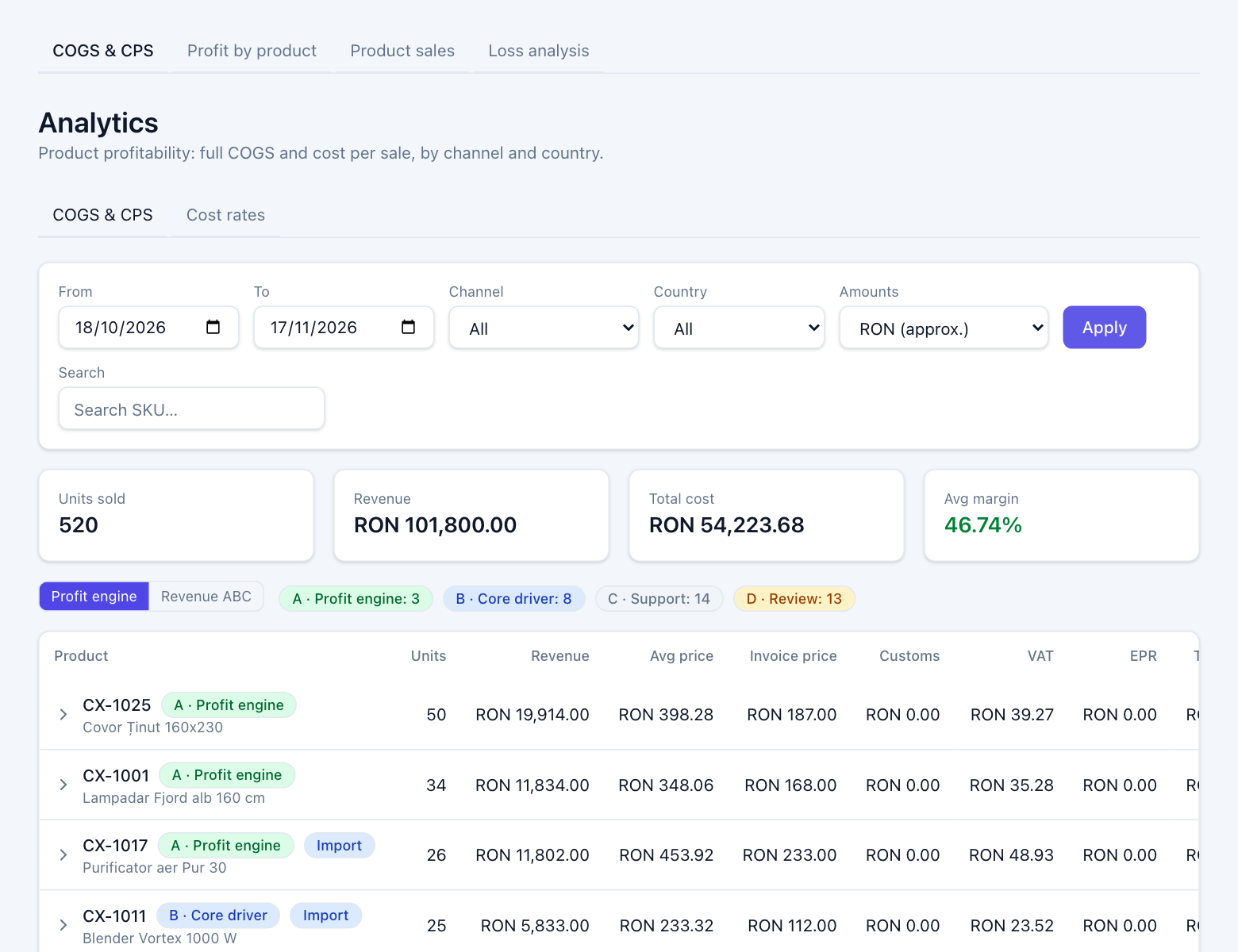
Each product with its class, from A to D.
Works with the tools you already use
SaleHero reads from and writes to these. You keep your accounts.


Learn it step by step
The guide pages that walk through this.
Questions we get
Where does the purchase cost come from?
From your own data, in a set order: SmartBill stock movements, stock valuation, goods receptions, then the cost on the product. If there is nothing, SaleHero estimates from landed cost and marks it. You can always see which source a number used.
Do I need SmartBill?
SmartBill gives the best cost data. Without it, SaleHero falls back to reception cost and the cost you enter on the product.
Are the marketplace commissions exact?
For TEMU and Trendyol the real commission is taken from the settlement report you import. For other channels the commission is the rule you set, so keep it current.
Can I also compare with SmartBill's own profit report?
Yes. You can import SmartBill's profit per product and sales reports. They are stored per period, so you can compare them with SaleHero's own figures.
See it on your own numbers
Connect your tools and the first data lands the same day.