 SaleHero
I find out I'm out of stock when a customer orders.
SaleHero shows what to reorder before it runs out, builds the supplier list, follows the container, and turns what arrives into a reception with the true cost per unit.
Draft
Forwarded
On the way
Received
TGHU 8812045
Refreshed 3 h ago · about every 12 h
Incoming on the stock page
+1,240 units · 38 products
Sounds familiar?
- You reorder when the shelf looks empty, and the supplier needs weeks.
- Purchase orders live in e-mail and Excel, and nobody knows what is on the way.
- A container is late and you only learn from the customer asking.
- Freight and customs never reach the cost of the product.
What changes for the team
- You reorder before the stock runs out, not after.
- Everyone sees what is on the way and when it lands.
- Freight and customs end up in the cost of each product.
- Suppliers confirm stock without logging in anywhere.
How it works
Purchasing
- 01
Suggestions from how things really sell
Choose a rotation window. SaleHero lists the products whose stock will not cover it, with the quantity sold, what is already incoming, the refill to order and the ABC class. Export to Excel or PDF.
- Stock on the way is counted, so you do not order twice.
- The suggestions advise only. Nothing is ordered by itself.
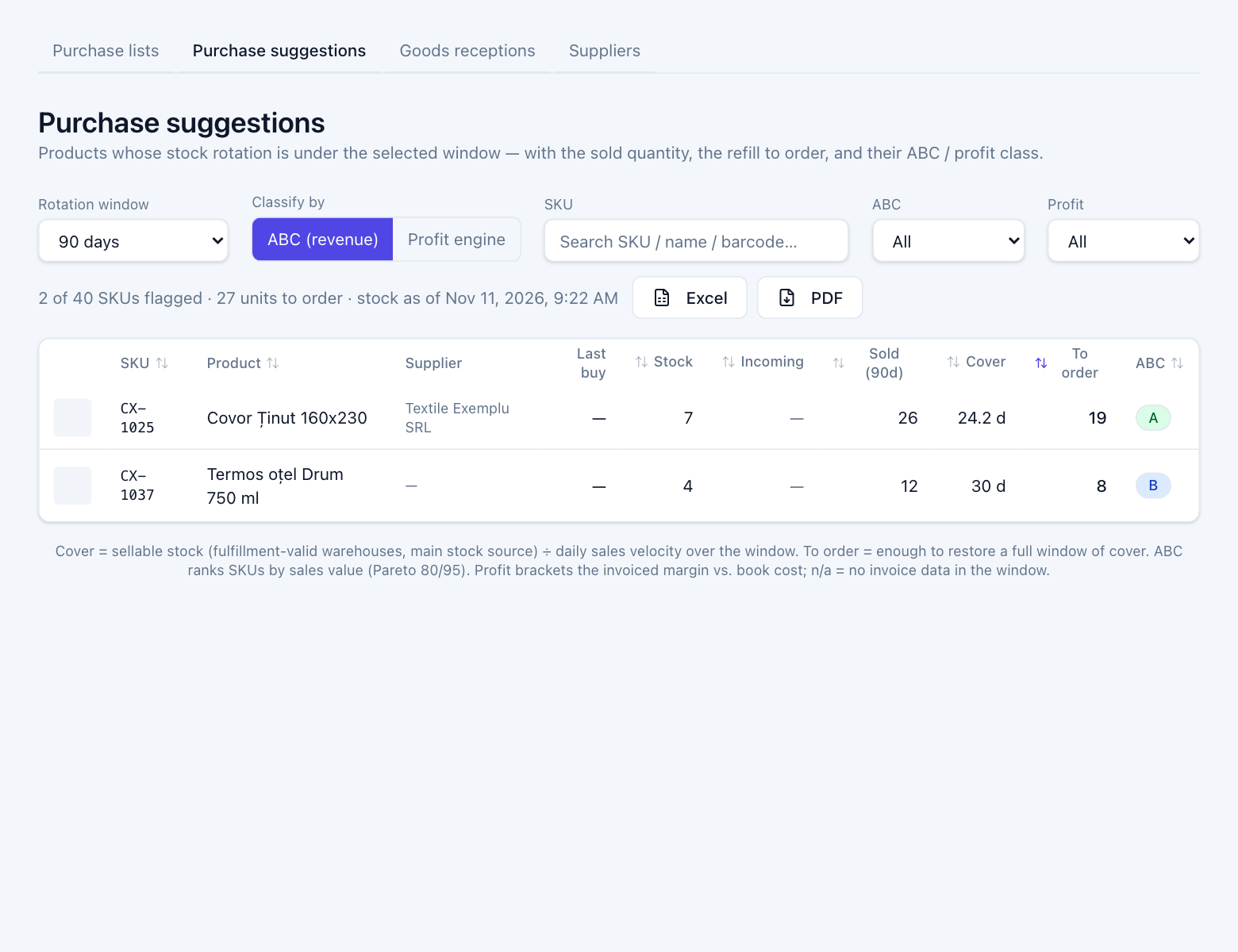
Only the products running short, with how many to order. - 02
A purchase list per supplier
Create a list by hand, import one from the supplier's file, or generate lists from ceilings: for products with a supplier and a ceiling quantity, SaleHero drafts one list per supplier. Each list moves from Draft to Forwarded, On the way and Received. Print it as a PDF, with or without prices, or export a supplier invoice in Excel with a Romanian translation sheet.
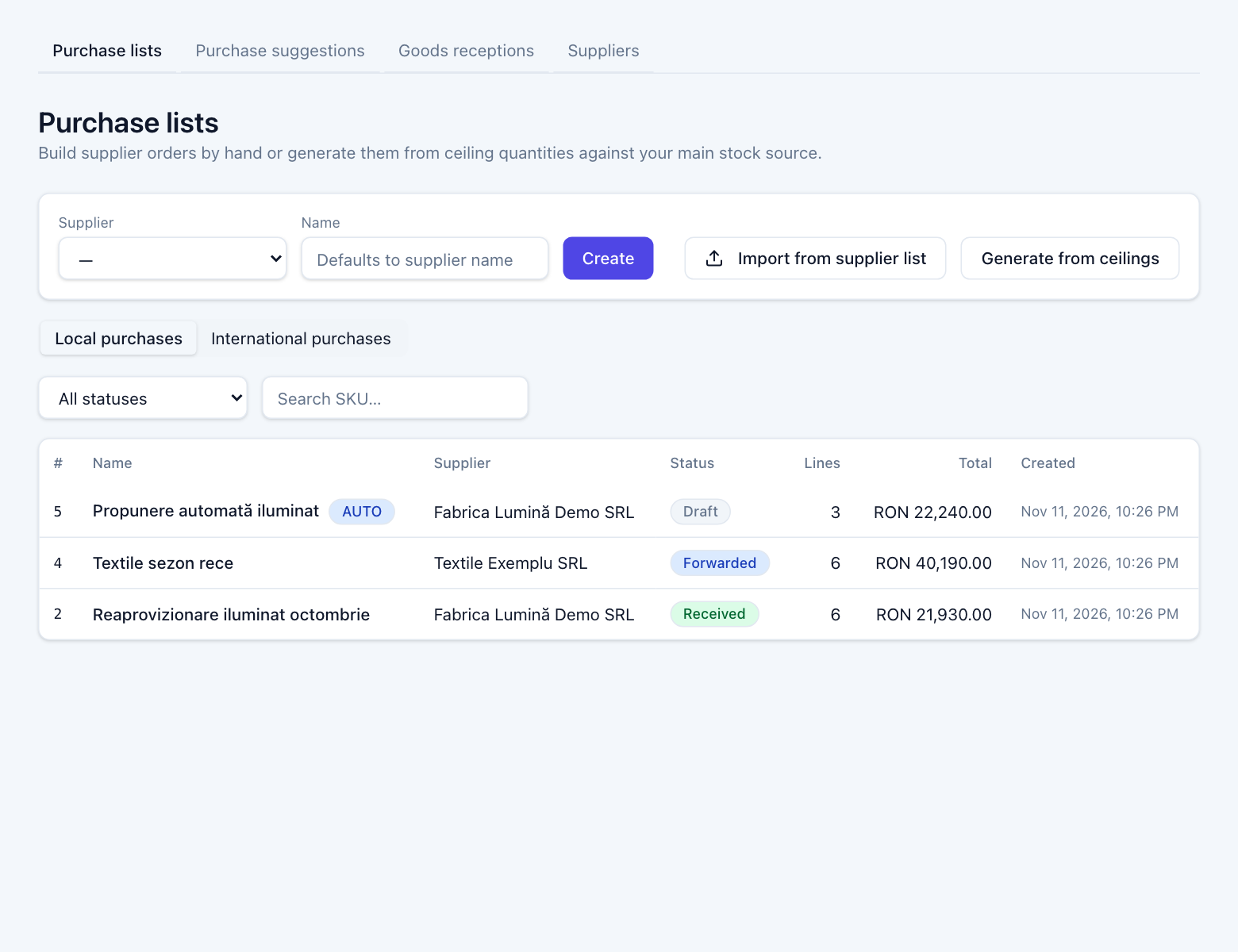
Purchase lists and their status. - 03
Follow the container
Mark a supplier as international and its lists get their own stages. Enter the container number and carrier on the list. SaleHero tracks the ocean container, refreshes about every 12 hours, and copies the expected arrival onto the list. You can refresh by hand at any time.
- Ocean freight only, by container number.
- Arriving stock shows as incoming on the stock page.
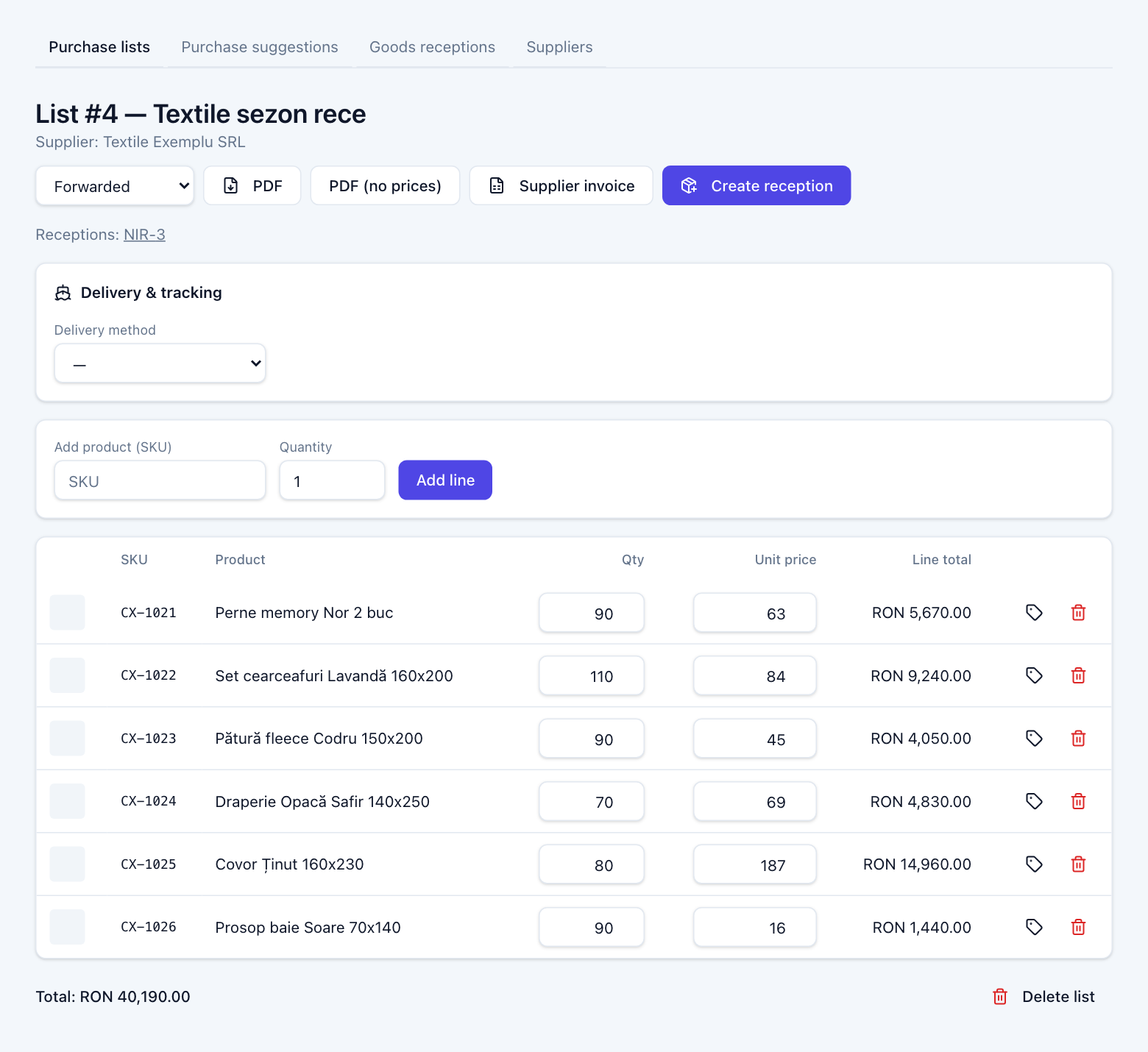
A list on the way, with its container. - 04
Ask the supplier to confirm stock
Send the supplier a link. They need no account. They mark each product In stock, Not in stock or No longer supplied, in English, Romanian or Chinese. You review the answers and apply them to Shopify when you decide. Products marked in stock keep selling at zero stock, products not in stock stop at zero, and products no longer supplied are marked delisted.
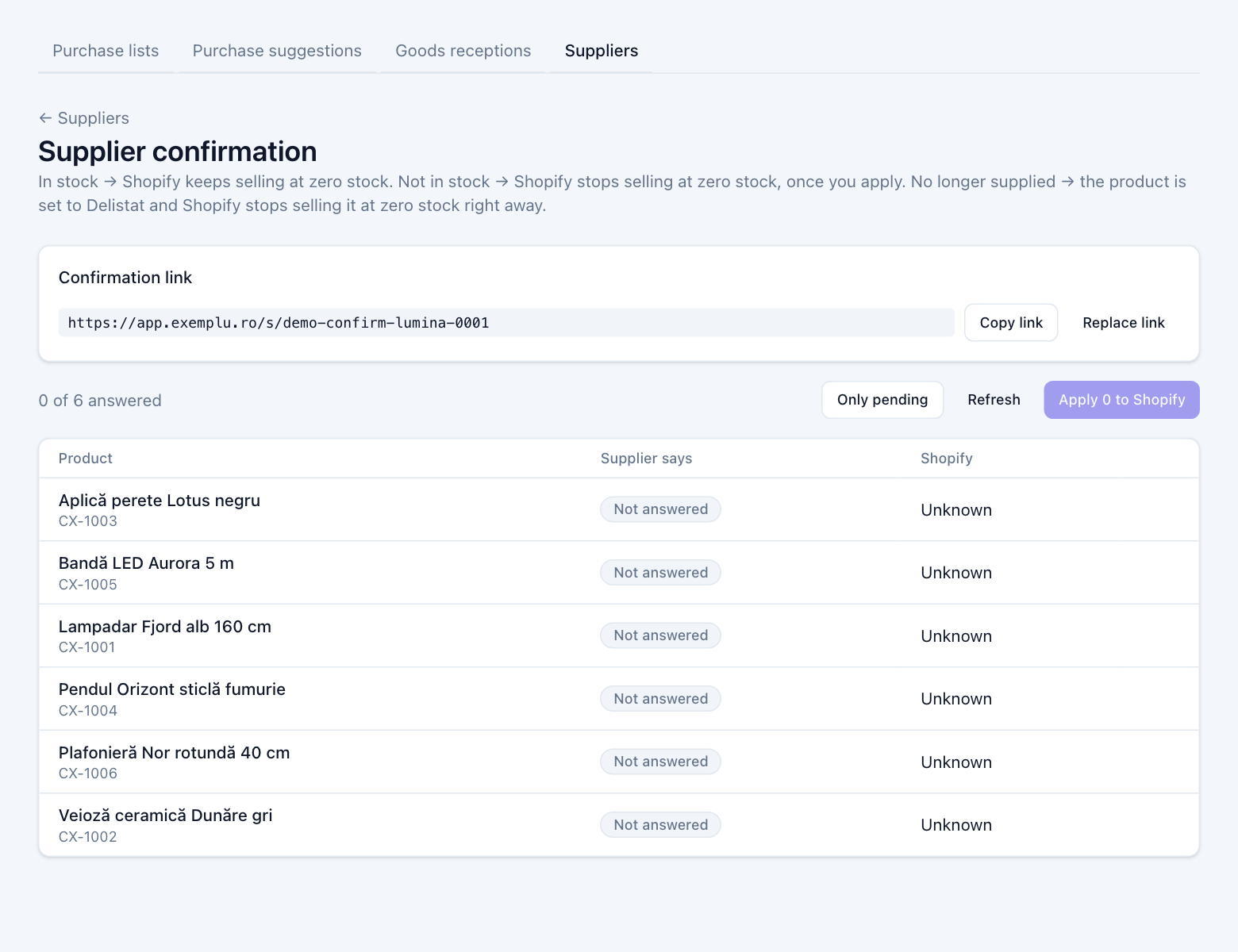
One link for the supplier, the answers for you. - 05
Receive, and get the true cost
Create a reception from a list and enter what arrived. SaleHero compares it with what you ordered: match, under, over, missing or extra. Add freight, customs and other costs, split by value, quantity, volume or weight. When you finalize, the landed cost per unit is frozen, the list is marked Received, and the product's last buy price and landed cost are updated.
- Export the reception as a file you can import in SmartBill as a NIR.
- Forward the stock to the warehouse in BaseLinker.
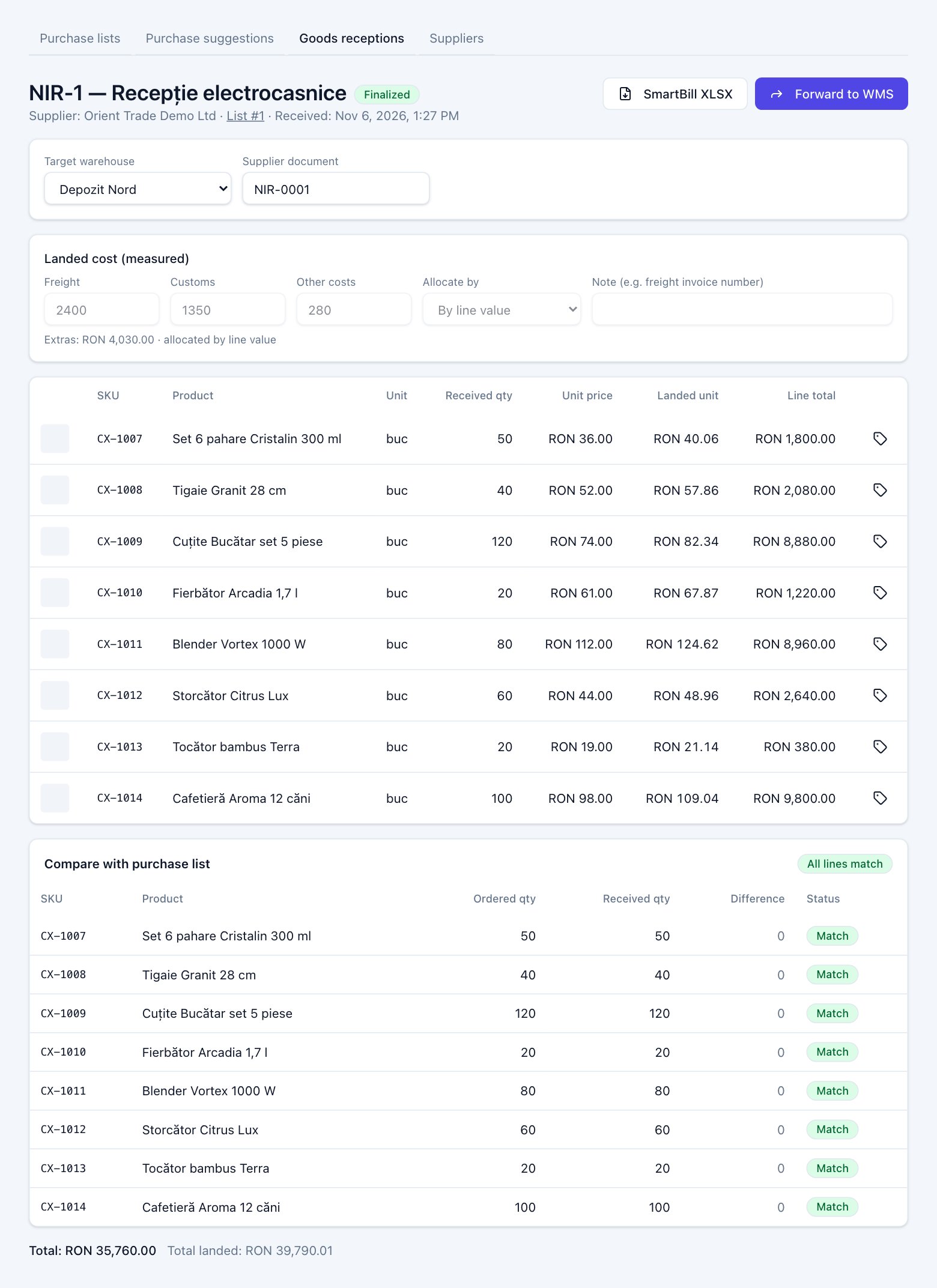
Freight and customs spread over the lines give the landed cost per unit.
Works with the tools you already use
SaleHero reads from and writes to these. You keep your accounts.


Learn it step by step
The guide pages that walk through this.
Questions we get
Does SaleHero place the order with my supplier?
No. It builds the list, the PDF and the Excel. You send them the way you do today.
Can I track air freight or trucks?
Not yet. Tracking works for ocean containers, by container number and carrier.
Does the NIR go into SmartBill by itself?
No. SaleHero exports a file in a format SmartBill can import, and someone on your team imports it. That keeps the accounting step in your hands.
What happens in Shopify when I apply the supplier answers?
Only the products you apply change, and only after you press the button. In stock keeps selling at zero stock, not in stock stops selling at zero, and no longer supplied is marked delisted.
See it on your own numbers
Connect your tools and the first data lands the same day.