 SaleHero
I issued the invoice in SmartBill. Did it really reach ANAF?
SaleHero compares what you issued in SmartBill with what ANAF's SPV holds, every day. Missing invoices and rejected ones show up in a list, before they become a problem.
- ALC 102311,249.001,249.00Matched
- ALC 10232312.50312.49Matched, within 0.02
- ALC 1023389.9098.90Amount difference
- ALC 10234450.00—Missing in SPV
- ALC 1023575.00rejectedError
Supplier invoices go the other way: they arrive under Received.
Sounds familiar?
- You assume SmartBill sent everything, and you have no way to check.
- An invoice was rejected by SPV and nobody saw the message.
- Supplier invoices arrive in SPV, and you retype them into stock.
- You compare amounts between SmartBill and SPV by hand at month end.
What changes for the team
- You find a missing or rejected invoice within a day, not at an audit.
- Month end starts from a list of differences, not from a hunt.
- Supplier invoices from SPV feed your receptions.
- Overdue invoices are visible by age, per client.
How it works
e-Factura check
- 01
A daily check, with five counters
Once a day SaleHero lists your invoices in SPV, downloads and reads them, and checks each sent invoice against SmartBill. The page shows five counters: matched, amount difference, missing in SPV, errors and received.
- Amounts are compared with a tolerance of 0.02.
- Sync now runs the same check on demand.
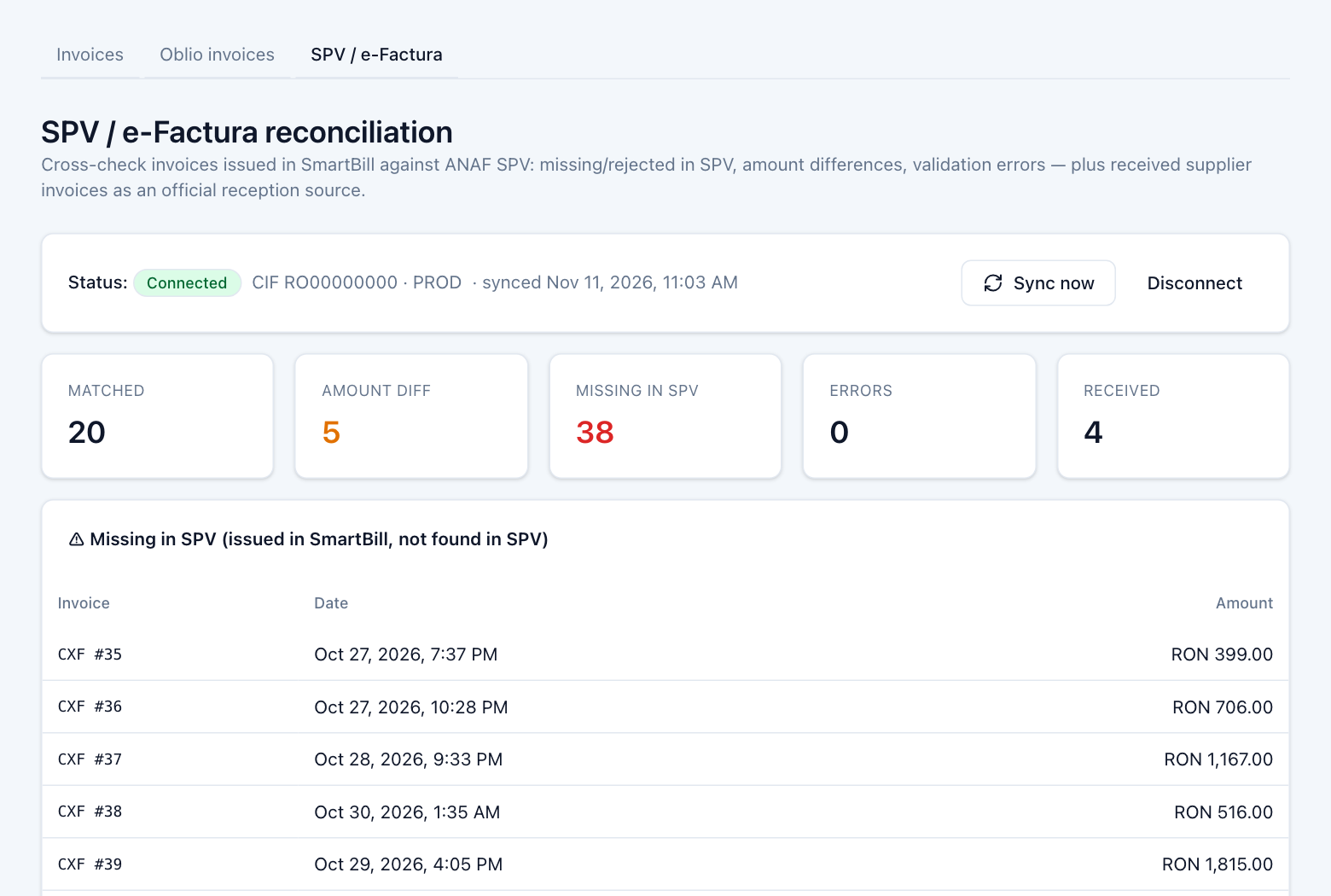
Five counters, and the invoices behind each one. - 02
Missing in SPV
This list holds the invoices you issued in SmartBill in the last 60 days that ANAF does not have. It is the one to open first. The separate list of validation errors shows the invoices ANAF rejected.
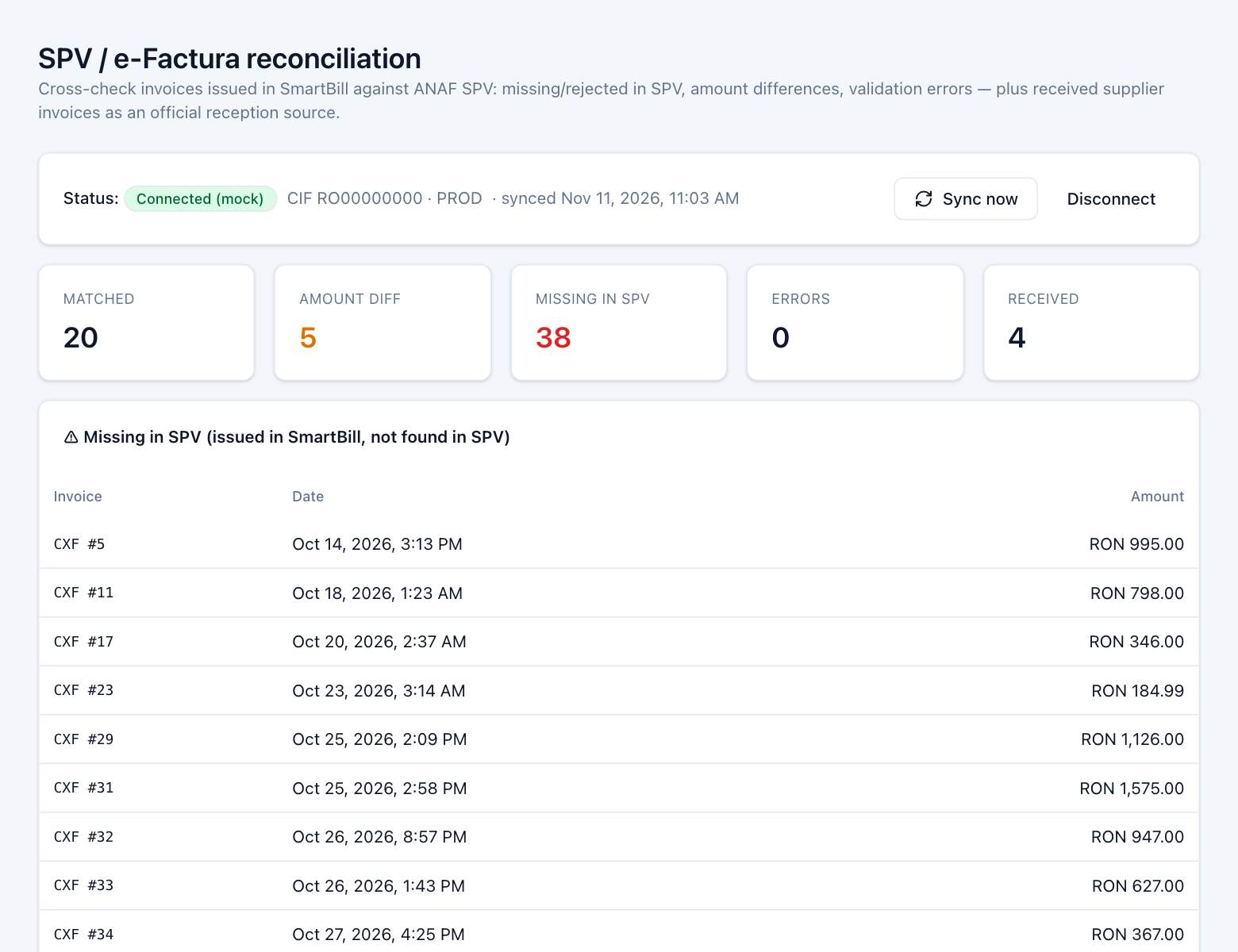
Issued invoices that ANAF does not have yet. - 03
Supplier invoices that ANAF delivered
Invoices your suppliers sent through e-Factura show up under Received. You can use one as the source of a goods reception, instead of typing the lines again.
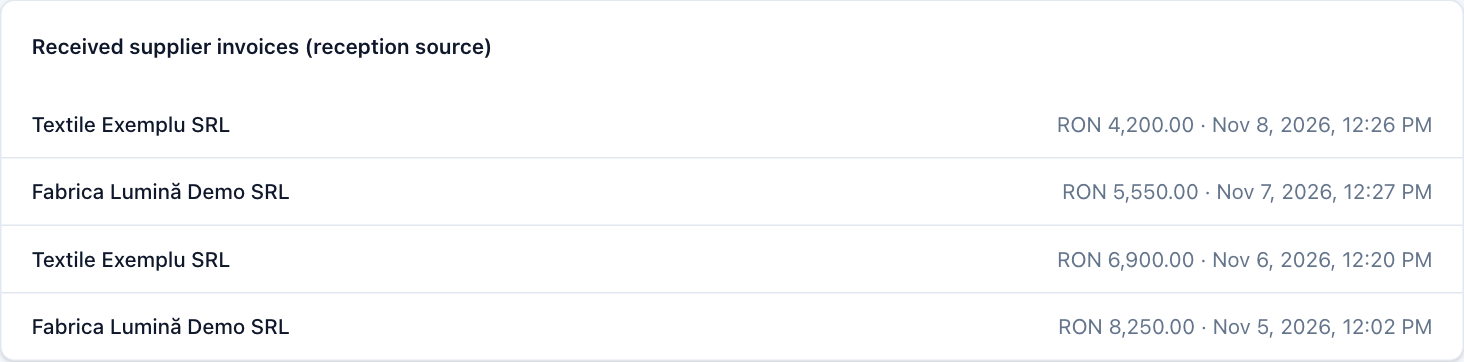
Supplier invoices, as ANAF delivered them. - 04
Connect once, with your certificate
You connect from SaleHero with your qualified digital certificate, in the browser, on ANAF's own page. SmartBill has to be connected first, because SaleHero takes your tax ID from it. The access renews itself, so you do not log in every few weeks.
- 05
The money side of the same invoices
Next to the check, SaleHero shows receivables by age, 0 to 30, 31 to 60, 61 to 90 and over 90 days, built from SmartBill's payment status. You can mark an invoice paid from SaleHero, and the payment is written to SmartBill.
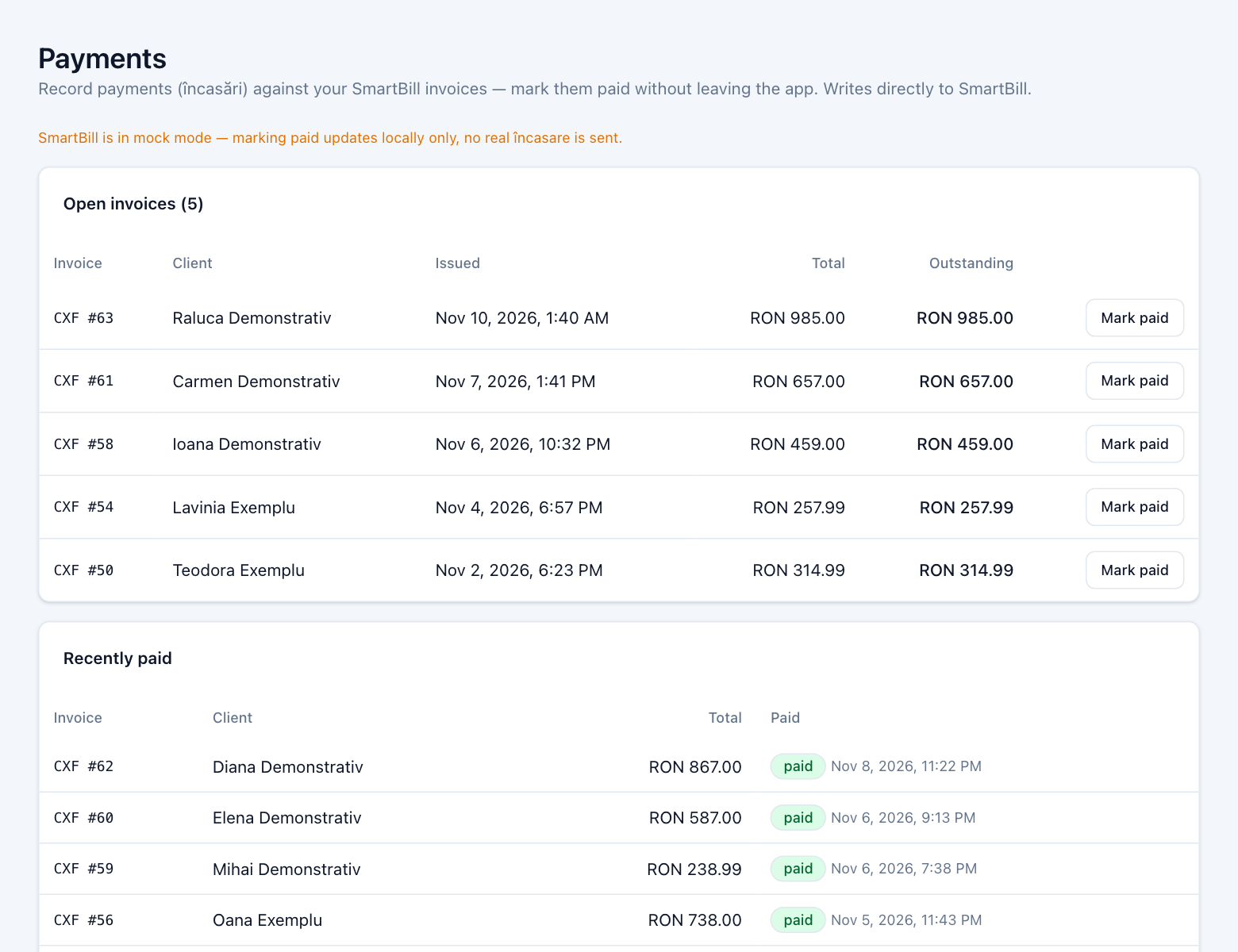
Open and recently paid invoices, in sync with SmartBill.
Works with the tools you already use
SaleHero reads from and writes to these. You keep your accounts.


Learn it step by step
The guide pages that walk through this.
Questions we get
Does SaleHero send my invoices to SPV?
No. SaleHero reads from SPV and checks. Your invoices still go to SPV from SmartBill, as they do now. SaleHero tells you if one did not arrive.
What do I need to connect?
A SmartBill connection and a qualified digital certificate in your browser. You authorize on ANAF's own login page. SaleHero never sees the certificate.
What if I do not use SmartBill?
The check compares SPV with SmartBill, so it needs it. Other invoicing tools are not part of this check.
How often does it check?
Once a day, and whenever you press Sync now.
See it on your own numbers
Connect your tools and the first data lands the same day.