 SaleHero
I find out about problems from customers.
SaleHero watches your syncs, your orders and your numbers, and tells your team in Slack before a customer has to. Connect your own assistant or system through keys you control.

SaleHero
03:00Nightly check
- Active products without a priceOK
- Prices below cost3
- Shipped without an AWBOK
- Shipped without an invoice1
- Payouts not reconciled12
- Negative stock in BaseLinkerOK
- SmartBill and BaseLinker stock disagree5
- Orders stuck in a status4
It posts on a clean night too, so silence means the check did not run.
Sounds familiar?
- A sync has been failing since Tuesday, and you learn about it when stock on the store is wrong.
- Orders shipped without an invoice or without an AWB, and you only see it at month end.
- A product goes on sale below cost, and the only alarm is the accountant.
- You want an assistant to answer questions from your data, but not to have the keys to everything.
What changes for the team
- A failing sync is a message and a red card, not a surprise on the store.
- Orders with a missing invoice or AWB are a list, every day.
- Rules that should always hold are checked every night.
- Your assistant reads from your data under a key you can limit and revoke.
How it works
Alerts and automation
- 01
Failed syncs are on the dashboard and in Slack
Every integration run is recorded. The dashboard shows how many runs failed in the last 24 hours, which integration and which task, and the message it got. Open one to see its failed runs. With Slack connected, a daily sync report is posted when a sync failed or when active products are missing from your BaseLinker catalog. A clean day posts nothing, and an unchanged report repeats only after a week.

A failed sync is flagged where you manage the connection. - 02
Orders with a failed step, counted
The dashboard card Orders needing attention counts orders from the last 14 days where something did not happen: the invoice was not issued, the AWB was not issued, the status or the address was not written to BaseLinker, or an address needs a look. It is a list to work through, not a report to read.
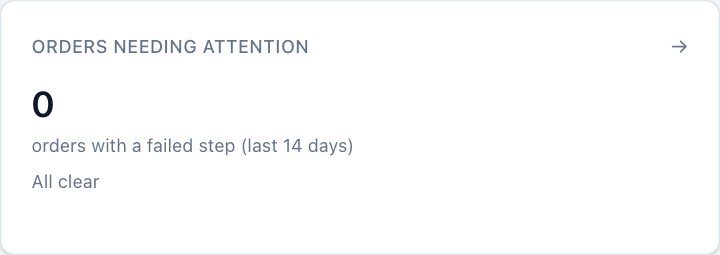
Orders from the last 14 days where a step did not complete. - 03
A nightly check of the numbers that should always agree
Every night SaleHero checks rules that should always hold and posts the result to Slack. Examples: an active product without a price, a price below cost, an order shipped without an AWB or without an invoice, a return step that is stuck, a payout that is not reconciled, negative stock in BaseLinker, SmartBill and BaseLinker stock that disagree, an order stuck in a status, a duplicated order id and a marketplace price that drifted from your own. The digest posts even on a clean night, so silence means the check did not run. Some checks match Romanian status names, so they fit shops that use the usual ones.
- 04
Slack is the place the team already looks
You create a Slack app for your workspace, paste its bot token and pick a default channel in Settings, then press Send test message. SaleHero only writes to the channel; it reads nothing from Slack. The same connection carries pricing suggestions with Approve and Reject buttons.
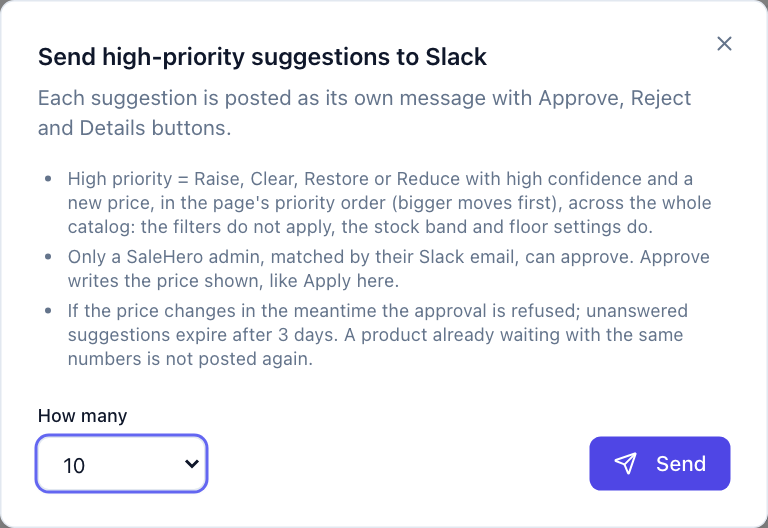
Pricing suggestions go to Slack with Approve and Reject. - 05
Keys and an MCP server for your own assistant
In Settings you create API keys of three kinds: the v1 wrapper API, a read-only AI key and a full-access AI key. A key is shown once and can be revoked. The read-only key answers questions about stock, the movement history of a SKU, unit cost, products, orders, return cases, invoices, receivables, sales, profit per SKU and sync freshness. The same tools are available over an MCP endpoint that works with assistants such as Claude Desktop, Claude Code and Cursor. A full-access key can also write, with an idempotency key on each write, and you can deny or allow routes per key. Every call is audited. The server does not ask for approval, so the assistant you connect must ask your team before it changes anything.
- Orders returned to an assistant include customer contact details; keys see an IBAN masked.
- Full-access keys act like a colleague with your role and never see passwords or keys.
- Rate limit: 120 requests a minute by default.
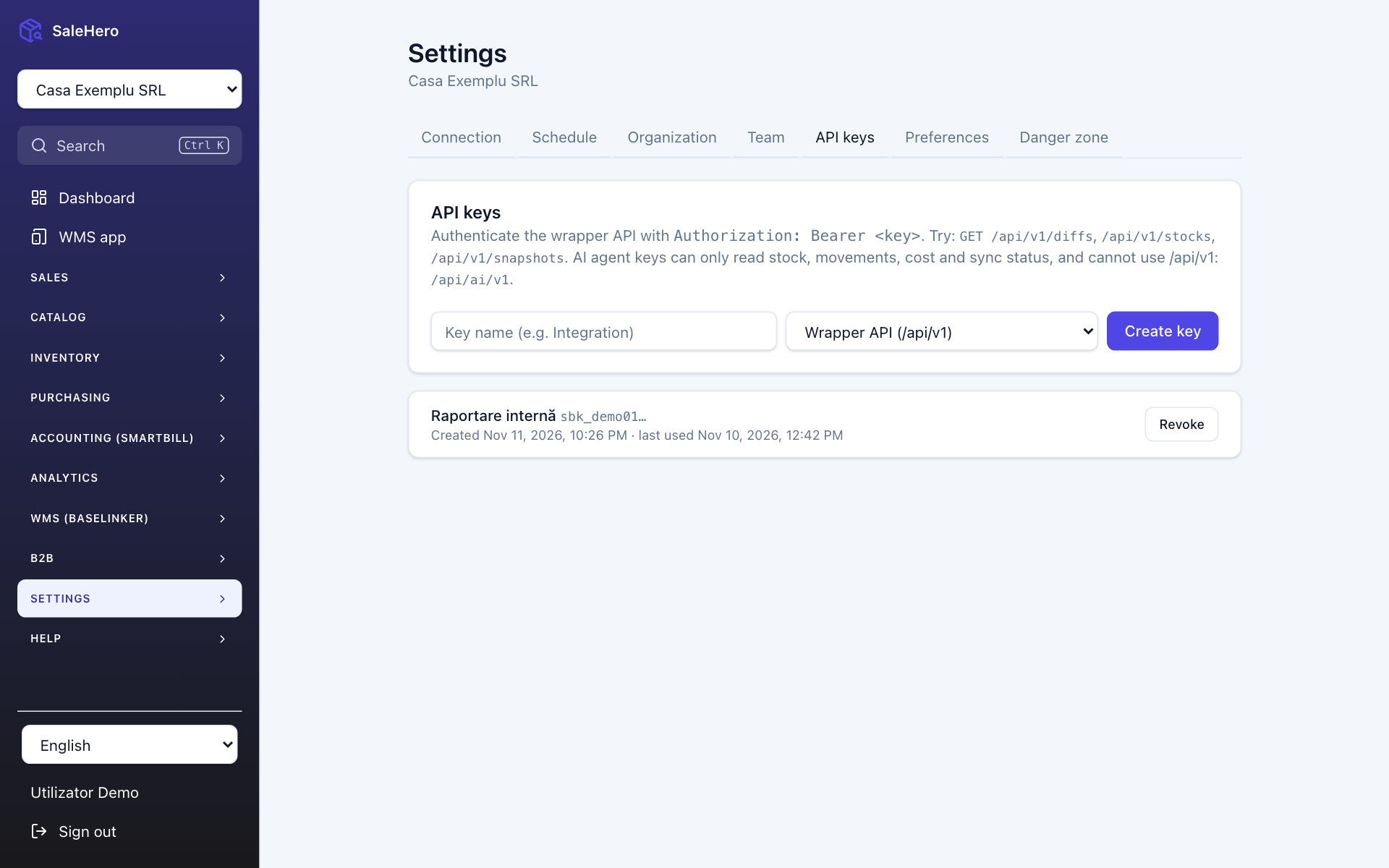
Create a key, choose what it may do, revoke it any time. - 06
WhatsApp context, if you use WATI
If you connect WATI, the customer page and the return dossier can show the WhatsApp conversation, read-only and on demand. SaleHero stores no messages. Sending from SaleHero is switched off by default and needs your explicit permission.
Works with the tools you already use
SaleHero reads from and writes to these. You keep your accounts.

Learn it step by step
The guide pages that walk through this.
Questions we get
Do I need Slack?
The dashboard cards and failure lists work without it. The posts to a channel need your own Slack app connected.
Can an assistant change my data?
Only with a full-access key, with an idempotency key on every write, within the routes you allow, and with every call logged. A read-only key cannot write.
Does SaleHero message my customers on WhatsApp?
No. WATI is used to read the conversation. Sending is off by default and is a permission you grant.
Will the nightly checks fit my statuses?
Most are about data that is the same everywhere. A few look for Romanian status names, such as those for shipped orders, so check them against your own status names.
See it on your own numbers
Connect your tools and the first data lands the same day.