 SaleHero
Returns run on WhatsApp and a spreadsheet.
A return form for your customers, one case per return for your team, and the refused parcels that come back tracked in the same place. Each step has its own status, so you see what failed.
Returns come from
- Customer form
- Your staff
- BaseLinker
RET-1042 · Order #48213 · 1 item · refund
- monday.com intake itemDone
- monday.com taskDone
- DPD pickup AWBFailedRetry
- Parcel on the BaseLinker orderPending
Retry is held back when the DPD answer is unclear, so no pickup is booked twice.
Sounds familiar?
- Customers send photos on WhatsApp, and a week later nobody knows which order the photos belong to.
- A parcel arrives at the warehouse with no note, and someone has to guess which return it is.
- Refused COD parcels are only noticed when the stock count is off.
- A refund is promised, the invoice is never reversed, and the accountant asks about it at month end.
What changes for the team
- Every return has a reference, an order and its photos in one file.
- A failed pickup or task is a red badge with a Retry button, not a missing message.
- Refused COD parcels are counted and chased before they distort stock.
- The accountant gets a SmartBill reversal tied to the parcel, not an e-mail.
How it works
Returns
- 01
A return form that finds the order for the customer
You publish a return form for your shop, or embed it on your storefront. The customer enters the order number or the invoice number plus the email or phone, and SaleHero looks the order up live in BaseLinker. If it is inside your return window, the customer picks the products and quantities and the kind of request: refund, exchange, missing parts, warranty repair or paid repair. They add the reason, the number of parcels, an optional IBAN, and up to ten photos or videos, and get a RET reference. The form and its e-mails come in ten languages, from Romanian and English to Polish and Greek.
- Off until you turn it on, with a return window in days that you set.
- The customer gets a confirmation e-mail and your staff get a notification.
- The IBAN is masked for staff until they choose to reveal it.
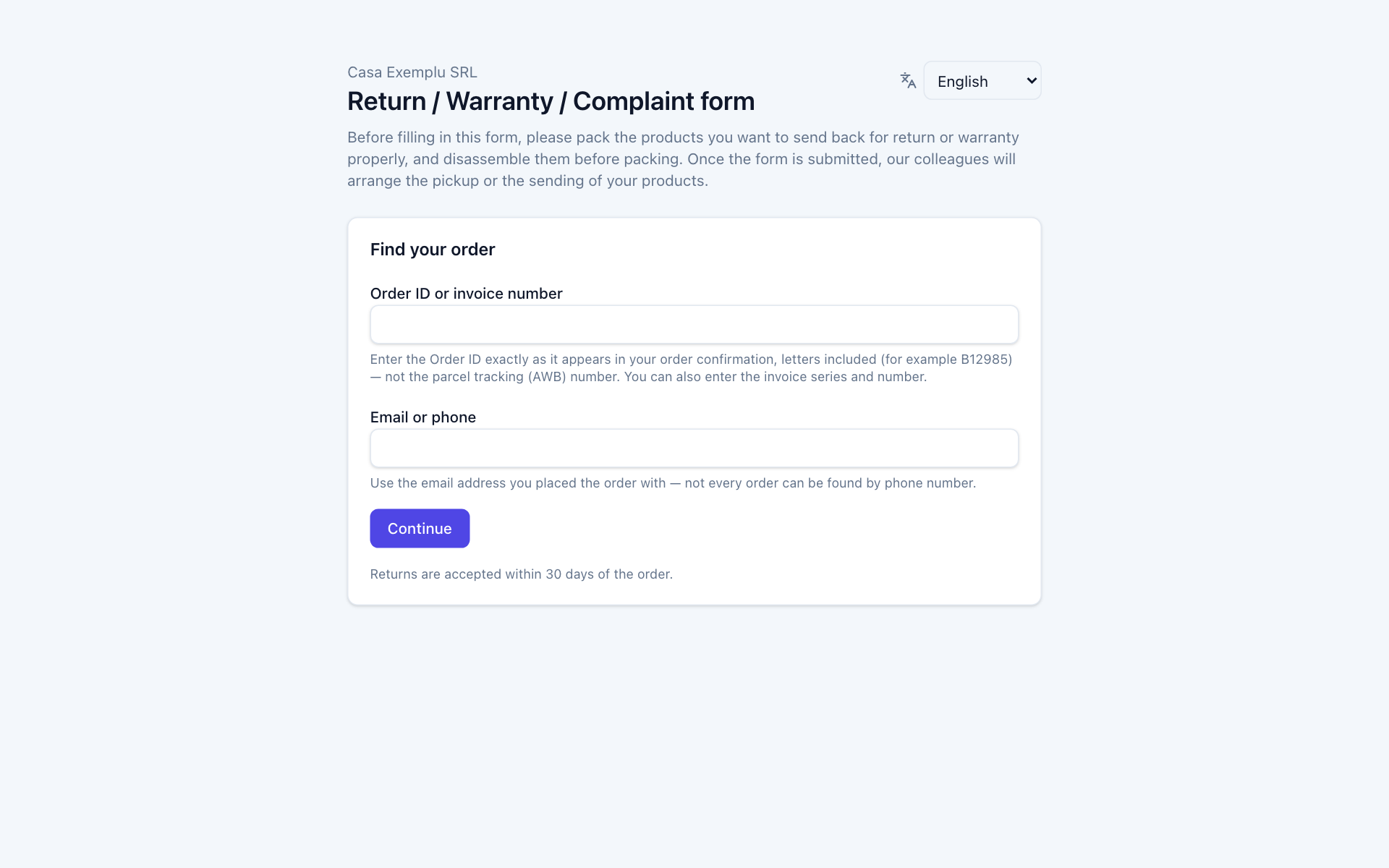
The form your customers open: pick a language, then find the order. - 02
One case per return, and each step shows its own status
Your own staff can open a return from an order, with items, case type, reason and solution. Returns that someone creates directly in BaseLinker are imported too, so the list is complete. When you process a request, SaleHero creates the monday.com task and the DPD pickup AWB, and the case shows each step as Done, Failed, Pending or Skipped, with a Retry on the step that failed. If the outcome of the DPD request is uncertain, Retry is held back so you do not book two pickups.
- Filter by where the return came from: customer form, staff or BaseLinker.
- An attention filter shows what failed, what is held and what needs a look.
- The return is mirrored to BaseLinker Returns, where its status and the refund approval stay.
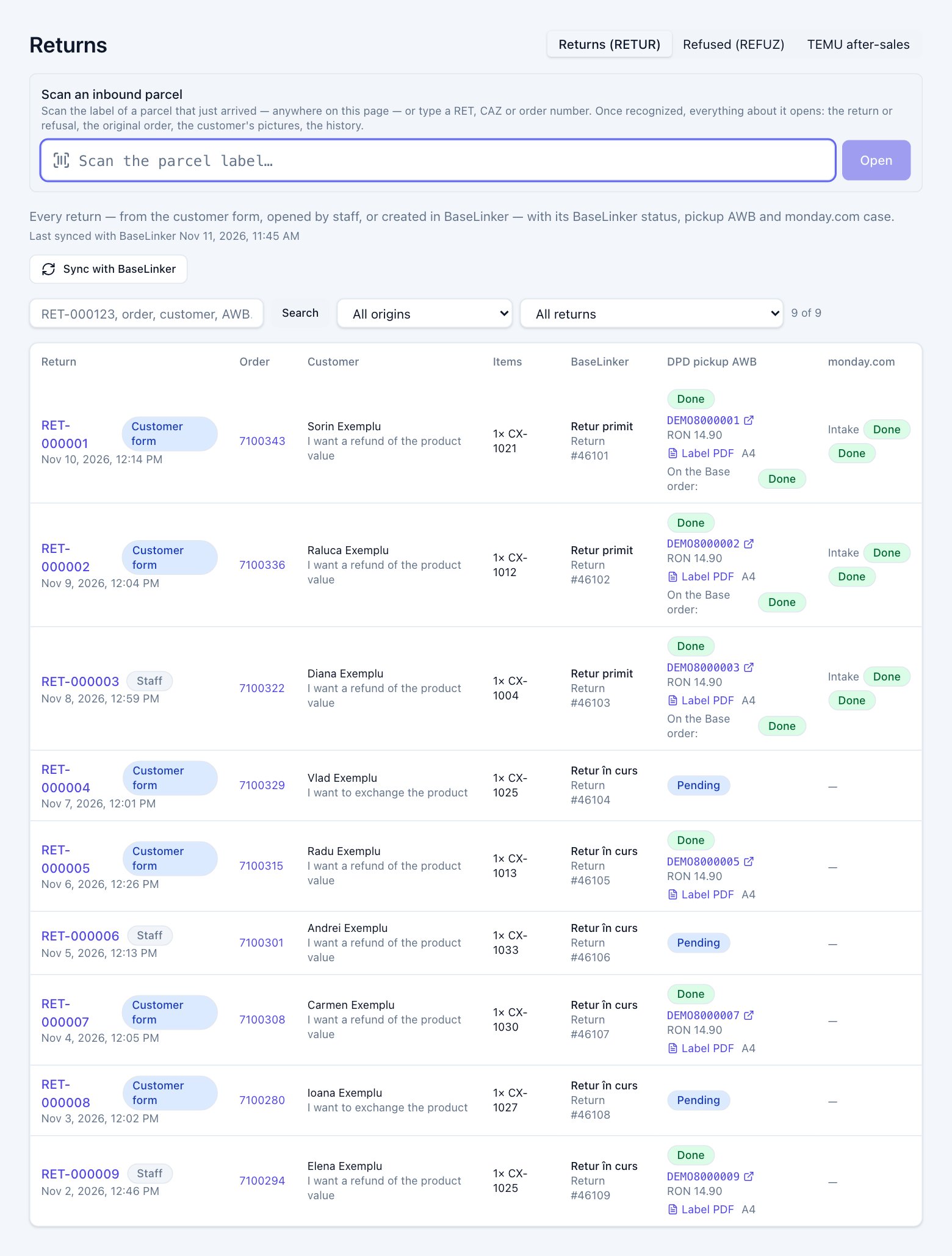
The returns list, filtered by where the return came from or by what needs attention. - 03
Scan the parcel, see the whole file
At the warehouse, scan the label or type a RET, case or order number. The scan opens one file: the original order, the other returns on it, any refusal, the cases, the photos and videos the customer sent, the parcels and the history of the case. Nobody has to ask the customer again what is in the box.

Scan a label or type a RET, case or order number to open the file. - 04
Refused parcels get their own tab
When a courier brings a COD parcel back, BaseLinker shows the tracking status Return. SaleHero picks it up and lists it in the Refused tab, in stages: on the way back, arrived at the courier, received, processed, and issues. A parcel that has been on the way back for more than 14 days turns red. You decide which order statuses mean received and processed. For a refused parcel with an invoice, one button issues the SmartBill reversal, once, dated today, in the same series.
- A Scan BaseLinker tracking button refreshes the list on demand.
- The reversal covers the whole invoice, not part of it. Partial reversals are made in SmartBill.
- Send to monday files the case on a board you choose.
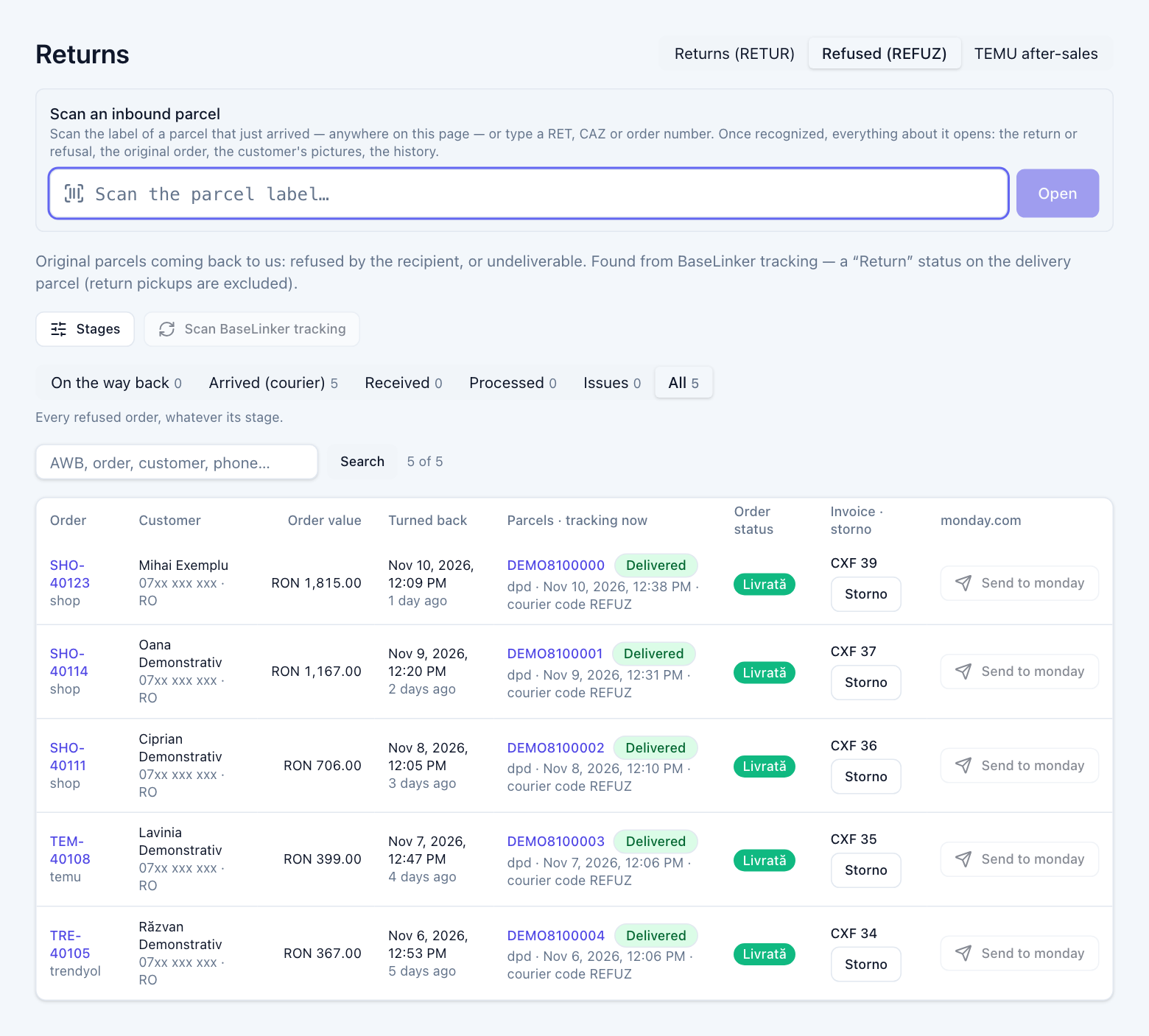
Refused COD parcels, by stage, from on the way back to processed. - 05
Send a replacement or a missing part from the order
Some cases are not returns. A customer received a box with a part missing, or you owe a replacement. From the order you open a Send products or Missing product case. SaleHero creates the DPD AWB and a zero-priced order in BaseLinker so the stock leaves the warehouse correctly, numbers the case CAZ, and files it on monday.com.
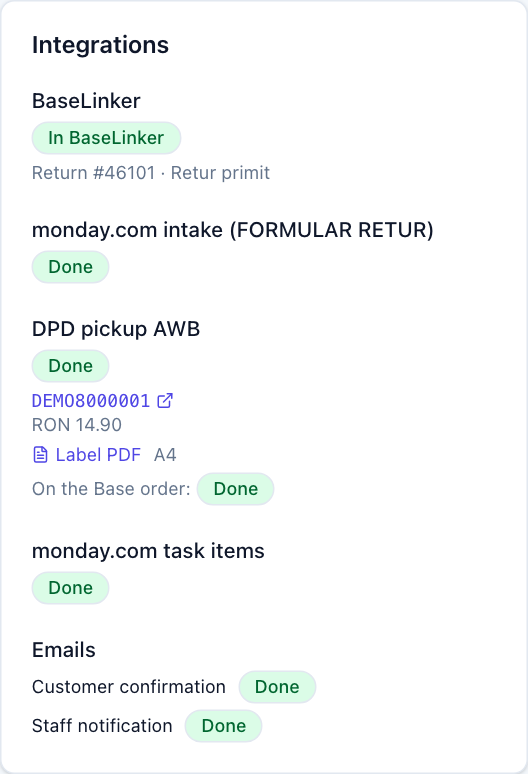
One case, with its BaseLinker return, DPD pickup and monday.com tasks.
Works with the tools you already use
SaleHero reads from and writes to these. You keep your accounts.


Questions we get
Does the return form need BaseLinker?
Yes. The form looks the order up in BaseLinker, and the return is mirrored there. The DPD pickup needs your DPD account, and the case board needs monday.com. Without those two, the return is still opened and tracked, and the matching step is skipped.
Does SaleHero pay the refund?
No. The refund request with the amount, the invoice and the IBAN travels with the case. Approval and payment of the refund stay in BaseLinker and your bank, and SaleHero shows the status it mirrors from BaseLinker.
Can I put the form on my own site?
Yes. There is a public link and an embed version for your storefront. In the settings you list the sites allowed to embed it, and the settings page has the Shopify steps.
Is there an API for returns?
Yes. A key-authenticated endpoint opens a return from your own systems, with an idempotency key so a retry does not open it twice.
See it on your own numbers
Connect your tools and the first data lands the same day.