 SaleHero
The courier paid me one lump sum. Which orders was it for?
Import the courier or marketplace statement. SaleHero matches every line to an order and records the payment on the right invoice in SmartBill.
Couriers · cash on delivery
One transfer for hundreds of parcels
 Packeta
 Livrăria· every hour
matched by AWB
Card payments
Paid in batches, net of fees
 Shopify PaymentsNNetopiaVViva.com
matched by order or reference
Marketplaces
Net of commission, refunds and penalties
 Trendyol
 Temu
 eMAG
matched by order number

Read line by line
- Matched126
- Recorded1,284
- Unmatched7
- Ignored3
- Error1
Each file and line counts once.

SmartBill · Invoices
Payments recorded, in bulk
1,284
Money not arrived, per source
18
Sounds familiar?
- A courier transfer arrives and someone spends a day ticking orders in Excel.
- Invoices stay open in SmartBill for weeks after the money is in.
- A marketplace pays net of fees, and the numbers never match the order.
- Refused parcels come back and nobody knows which money never arrived.
What changes for the team
- A statement that took a day is done in minutes.
- Invoices close when the money arrives, not weeks later.
- You can see exactly which lines have not been matched and why.
- Refused parcels do not drop out of sight.
How it works
COD and payouts
- 01
Drop the statement, check the preview
You pick the source and import the file: CSV, TSV, xls or xlsx. Before anything is saved you see a preview: lines matched, unmatched, in error and already imported. The same file, or the same line, cannot be imported twice.
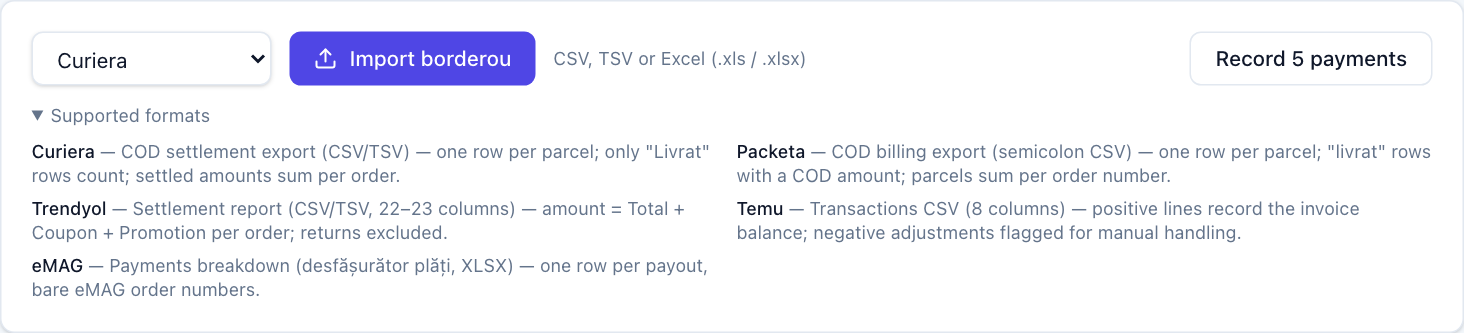
The formats SaleHero reads. - 02
One reader per source
Courier COD statements, Packeta billing exports, Trendyol settlement reports, Temu transactions and the eMAG payments breakdown each have their own reader. Parcels of one order are summed. Trendyol returns are left out. Negative Temu lines are flagged for you to handle by hand.
- 03
Every line has a status
A line is to send, in SmartBill, unmatched, ignored, error or unconfirmed. You filter by status, assign an order to an unmatched line, ignore or restore a line, and retry an error. Nothing sits in a state you cannot explain.
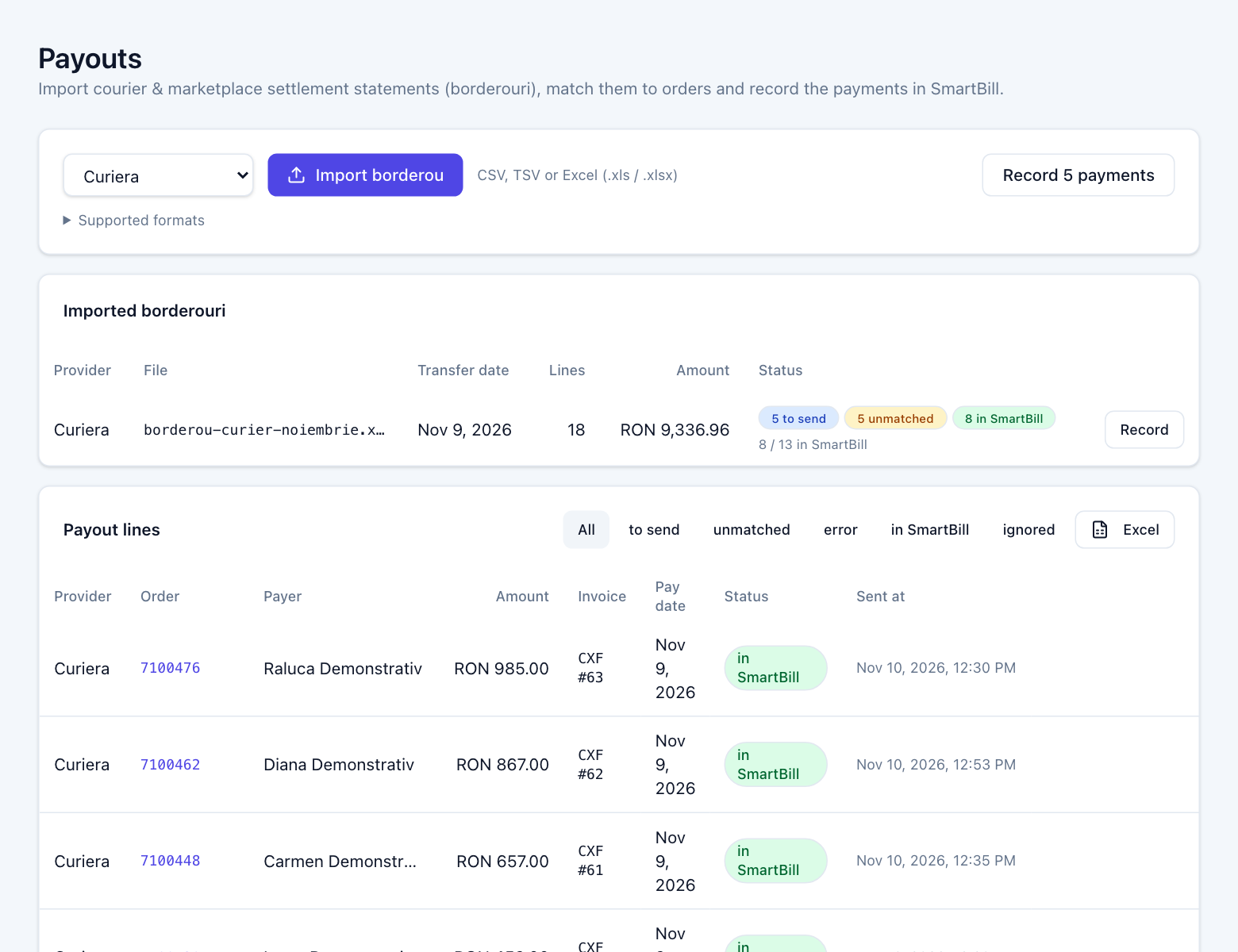
Statements, and lines by status. - 04
Record the payments in SmartBill, in bulk
Record writes real payments into SmartBill, many at once, with a progress counter. It records the amount from the file when it matches the invoice, and the invoice balance otherwise. The line tells you which one before you press the button. One recording runs at a time.
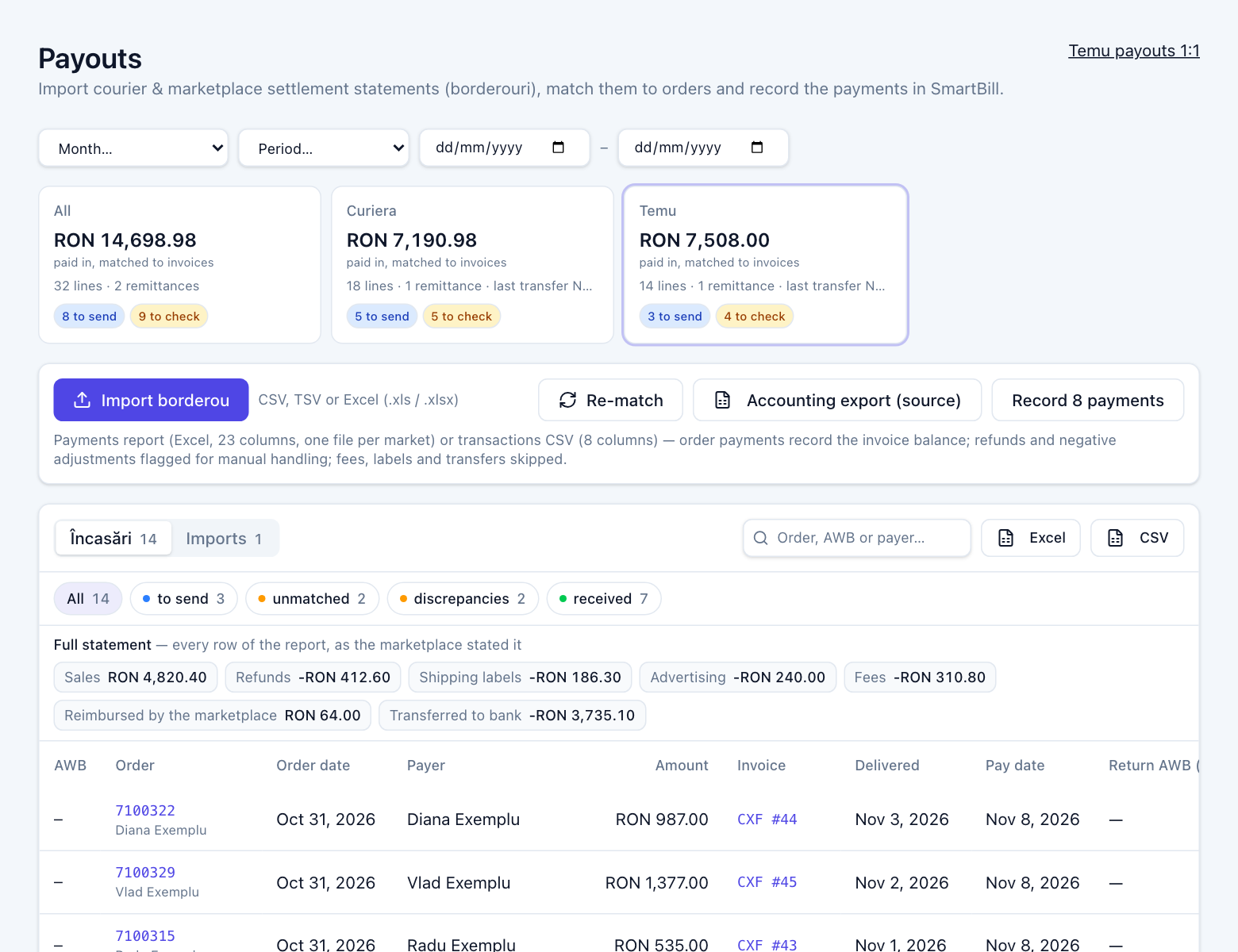
One button records every payment that is ready to send. - 05
Refused parcels in one list
Parcels that come back are found from BaseLinker's tracking and listed with their order, value and how long they have been on the way. After 14 days a row turns red. You scan a returned parcel and its order, history and customer pictures open.
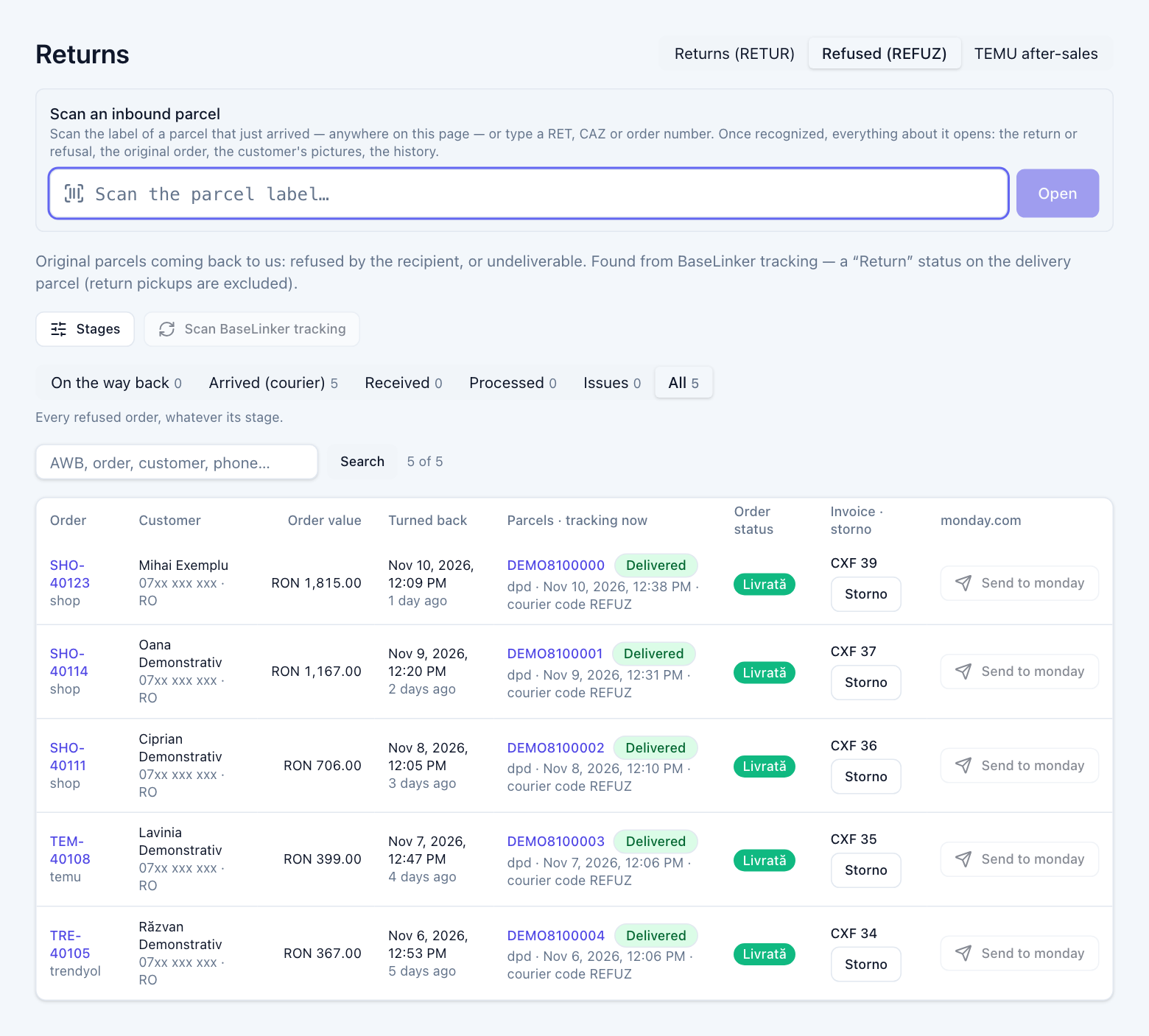
Refused COD parcels, by stage, from on the way back to processed.


Learn it step by step
The guide pages that walk through this.
Questions we get
Which couriers and marketplaces are supported?
Courier COD statements in CSV or TSV, Packeta billing exports, Trendyol settlement reports, Temu transactions and the eMAG payments breakdown. If your statement is not listed, ask us. Each source needs its own reader.
Does it write to SmartBill on its own?
No. You review the lines, then press Record. Only lines that are ready to send are written.
What if the amount in the file differs from the invoice?
The line says which amount it will record, the file's or the invoice balance, before you send it. Lines that cannot be matched stay unmatched until you assign an order.
Can I import the same statement twice by mistake?
No. Duplicate files and duplicate lines are blocked.
See it on your own numbers
Connect your tools and the first data lands the same day.