 SaleHero
A customer says the parcel never came. I can't prove it left.
Scan each parcel as it goes to the courier. SaleHero matches the scan to the order, shows what has not left yet, and gives the floor a phone app, a wall board and counts that target the bins most likely to be wrong.
Scan at the courier desk
80245197731
Handed over
#48213 · Ana P. · RO
80245197731
Already handed over
today, 09:41
80245199012
Recorded, no order yet
Checked again about every 15 minutes
1ZX0420931
Wrong courier
This parcel goes with another courier
Sounds familiar?
- At the end of the day nobody can say which parcels the courier actually took.
- A customer claims the parcel never came, and you have no scan to show.
- Inventory day means stopping everything to count every bin.
- Instructions for the floor travel by shouting or by a message nobody reads.
What changes for the team
- Every parcel that left has a scan, an order and a time.
- Orders that did not go out show up the same day.
- Counting targets the riskiest bins, not the whole warehouse.
- The floor sees today's instructions without anyone walking over.
How it works
Warehouse floor
- 01
Scan at the handover, on a phone
The WMS app runs in the phone's browser. At the courier desk you scan the AWB barcode. SaleHero matches it to the order and answers in a colour: green, blue, amber or red. A wrong scan can be undone. The scan bar also finds an order by number, a product by EAN or SKU, and a bin by its label.
- The order screen shows ship-to, COD amount, AWBs, items with their bins and the handover state.
- A product screen shows stock by bin. A bin screen shows what is in it.
- Moving a product between bins is sent to BaseLinker as a transfer.
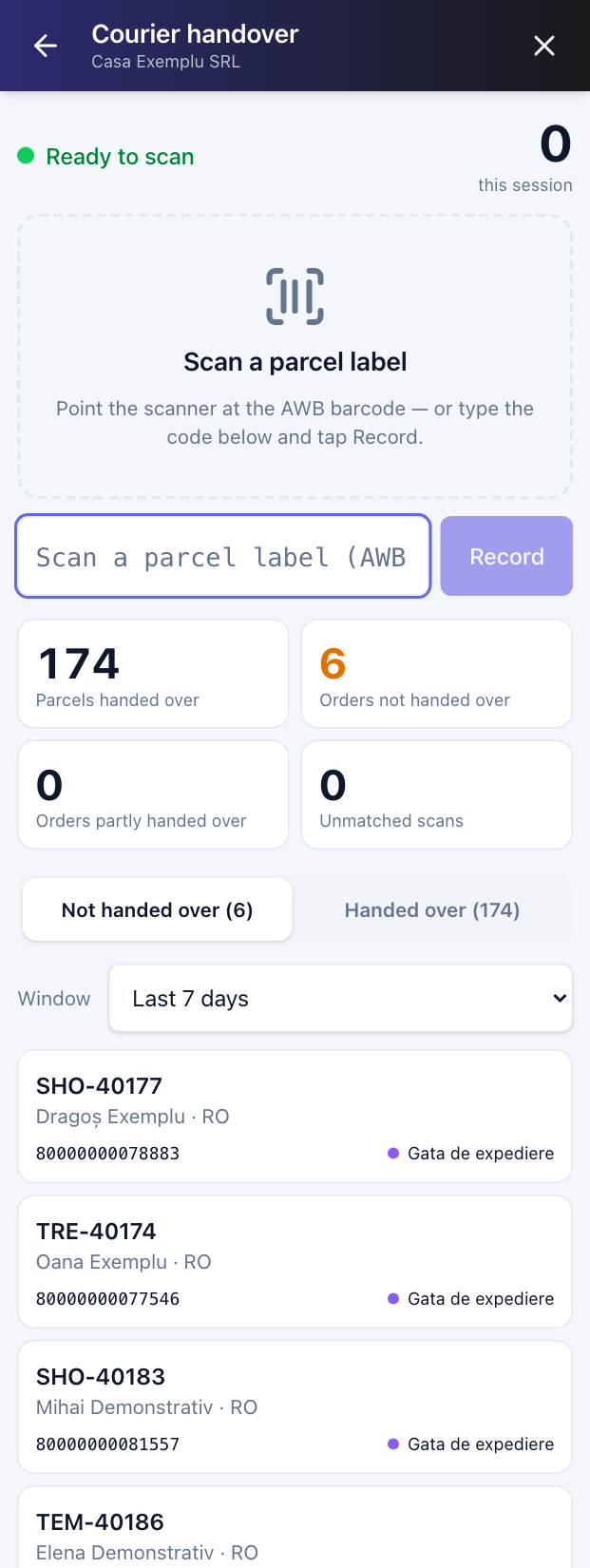
Courier handover on a phone. - 02
What has not left yet
On a desktop, the handover page counts parcels handed over, orders not handed over, orders partly handed over and scans that match no order. Unmatched scans are checked again about every 15 minutes, so a scan that came before its order still finds it. You can also set a status to move the order to once all its parcels are scanned.
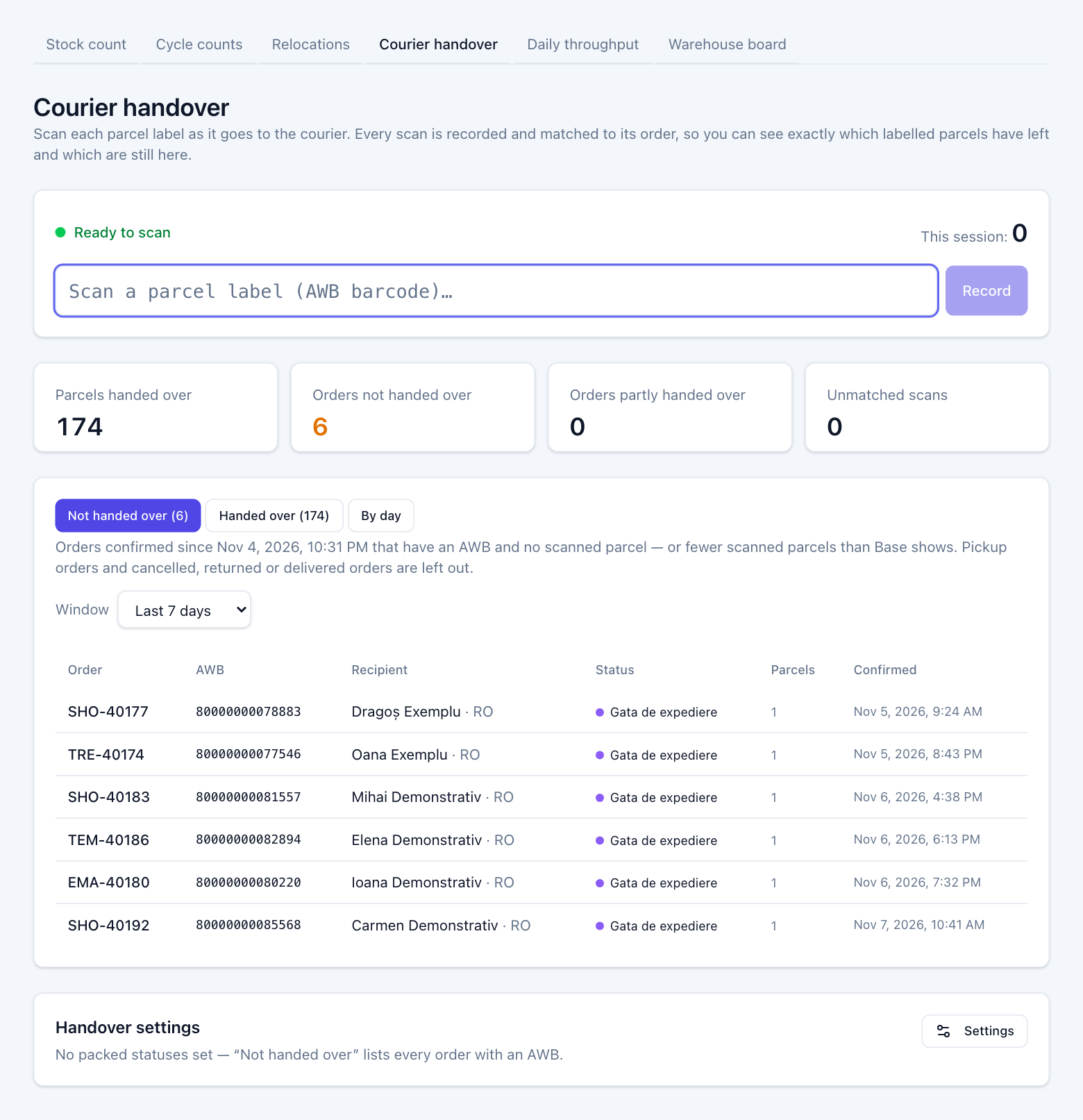
Scans against orders, live. - 03
The day in numbers
Daily throughput shows how many orders were collected, packed and handed to the courier on one day, with the last 14 days underneath. It reads from BaseLinker documents, order status changes and the handover scans.
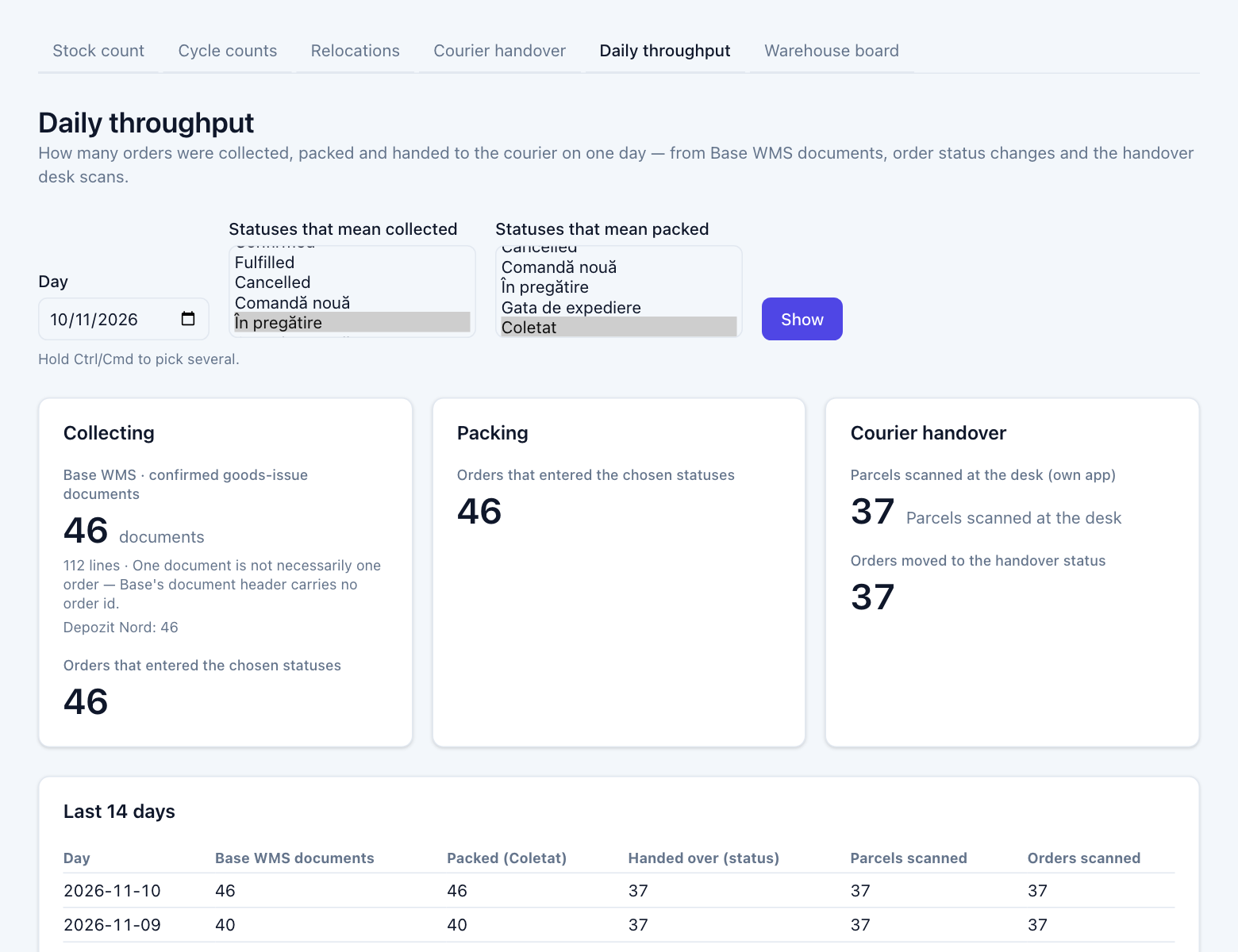
Collected, packed and handed over, per day. - 04
Count the bins that are likely wrong
Cycle counts pick the bins most likely to be off. The score comes from BaseLinker documents that touched each bin, recent ones weighing more, and corrections counting triple. You choose how many bins and how far back to look, and bins counted recently are skipped. SaleHero then creates a stocktake in BaseLinker, with blind count, location scan first and approval as options. The counting is done in BaseLinker WMS.
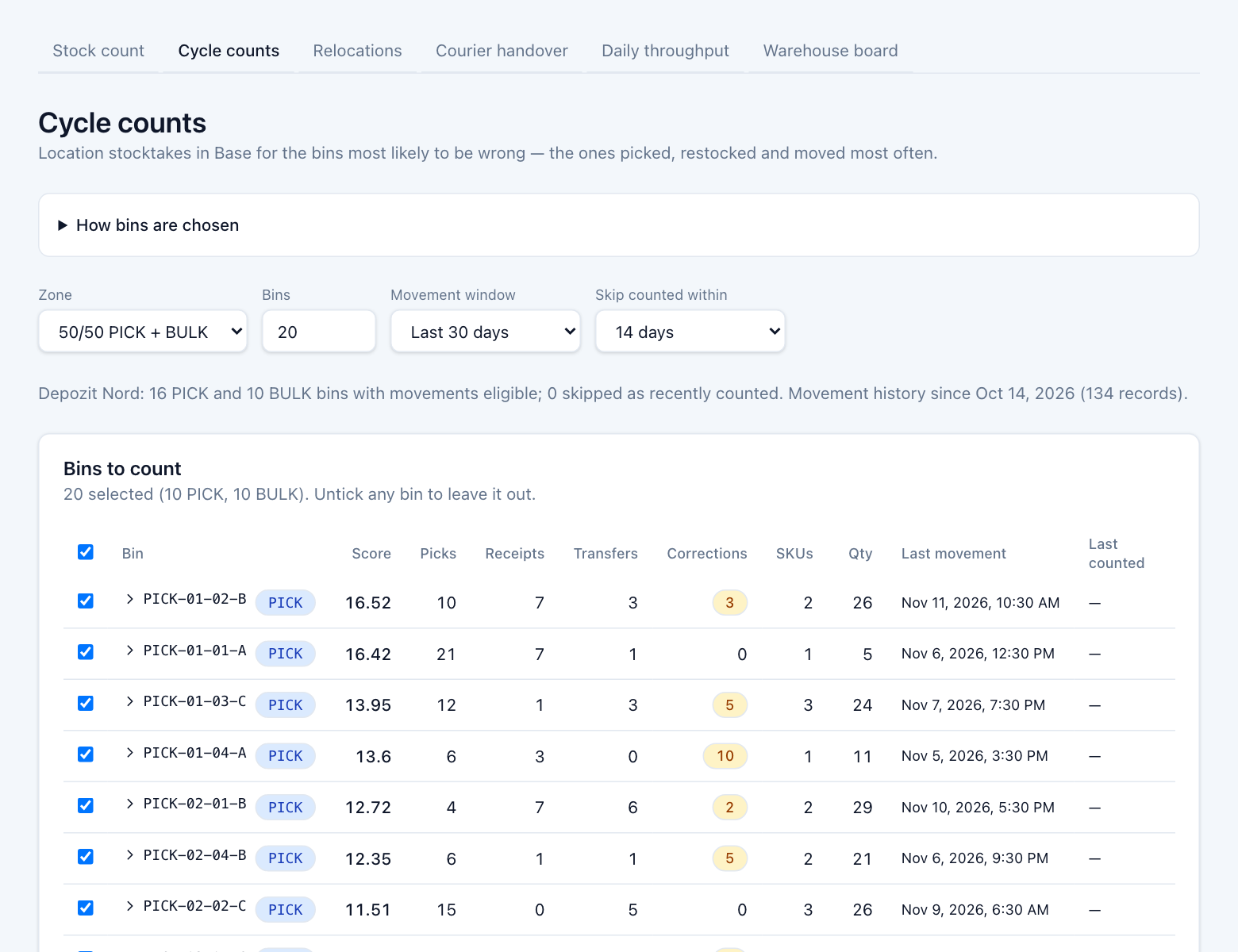
Choose the zone, how many bins and how far back to look. - 05
A board for the warehouse TV
Type a short notice, pick Info, Warning or Urgent, and it shows on the warehouse screens within about a second. It stays until you dismiss it or until the time you chose. Each screen has its own link and needs no sign-in. Delete the screen to cancel the link.
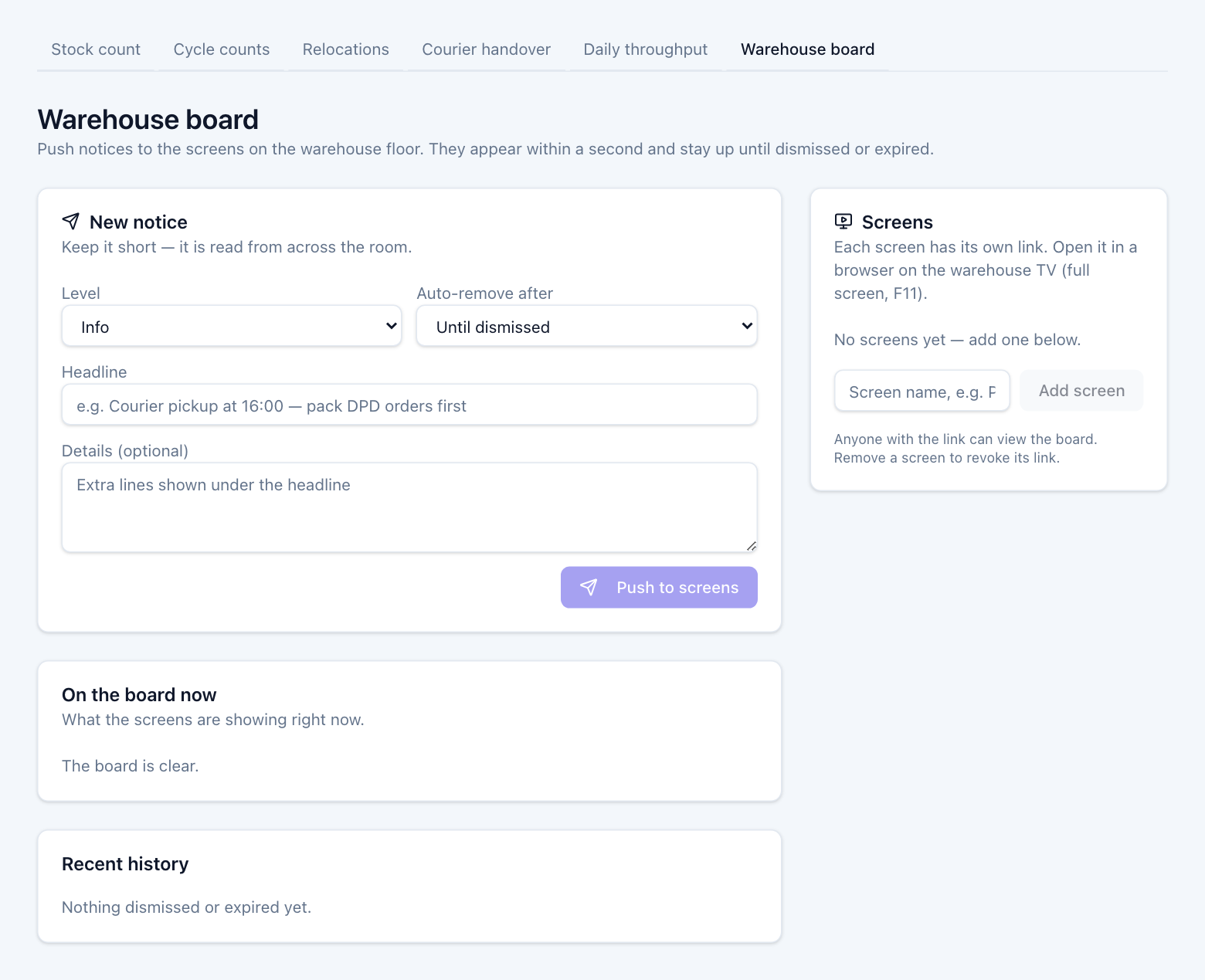
Write the notice, pick the level and how long it stays.
Works with the tools you already use
SaleHero reads from and writes to these. You keep your accounts.


Learn it step by step
The guide pages that walk through this.
Questions we get
Do I need BaseLinker WMS?
Yes. The warehouse tools are built on BaseLinker WMS. Stock and bins live there, bin transfers are sent there, and cycle counts are created there. SaleHero adds the scanning, the checks and the board.
What do the staff need?
A phone or handheld device with a browser. There is nothing to install.
Does SaleHero count the stock?
The counting happens in BaseLinker WMS. SaleHero decides which bins to count and creates the stocktake.
Who can see the board?
Anyone with the screen's link. Remove the screen and the link stops working.
See it on your own numbers
Connect your tools and the first data lands the same day.