 SaleHero

Trendyol
Trendyol orders, claims and customer questions, plus payouts matched to orders.
SaleHero reads your Trendyol seller account live: orders, claims (returns), customer questions and products. The Payment Order Detail report can be imported to see what Trendyol actually paid per order, with the commission taken out. Trendyol orders also arrive in your order list through BaseLinker.
The problem it removes
- “I do not know what Trendyol really pays me per order after commission.”
- “Customer questions and claims sit in a panel I forget to open.”
What comes into SaleHero
- Orders, claims and customer questions, read live from your seller account
- Products, read live
- The Payment Order Detail report, imported as a file, joined to your catalog by barcode
What SaleHero sends out
- Answers to customer questions, when your team or an assistant sends them through SaleHero's API
- No prices or stock: those stay in BaseLinker
What you need
- A Trendyol seller account with API access
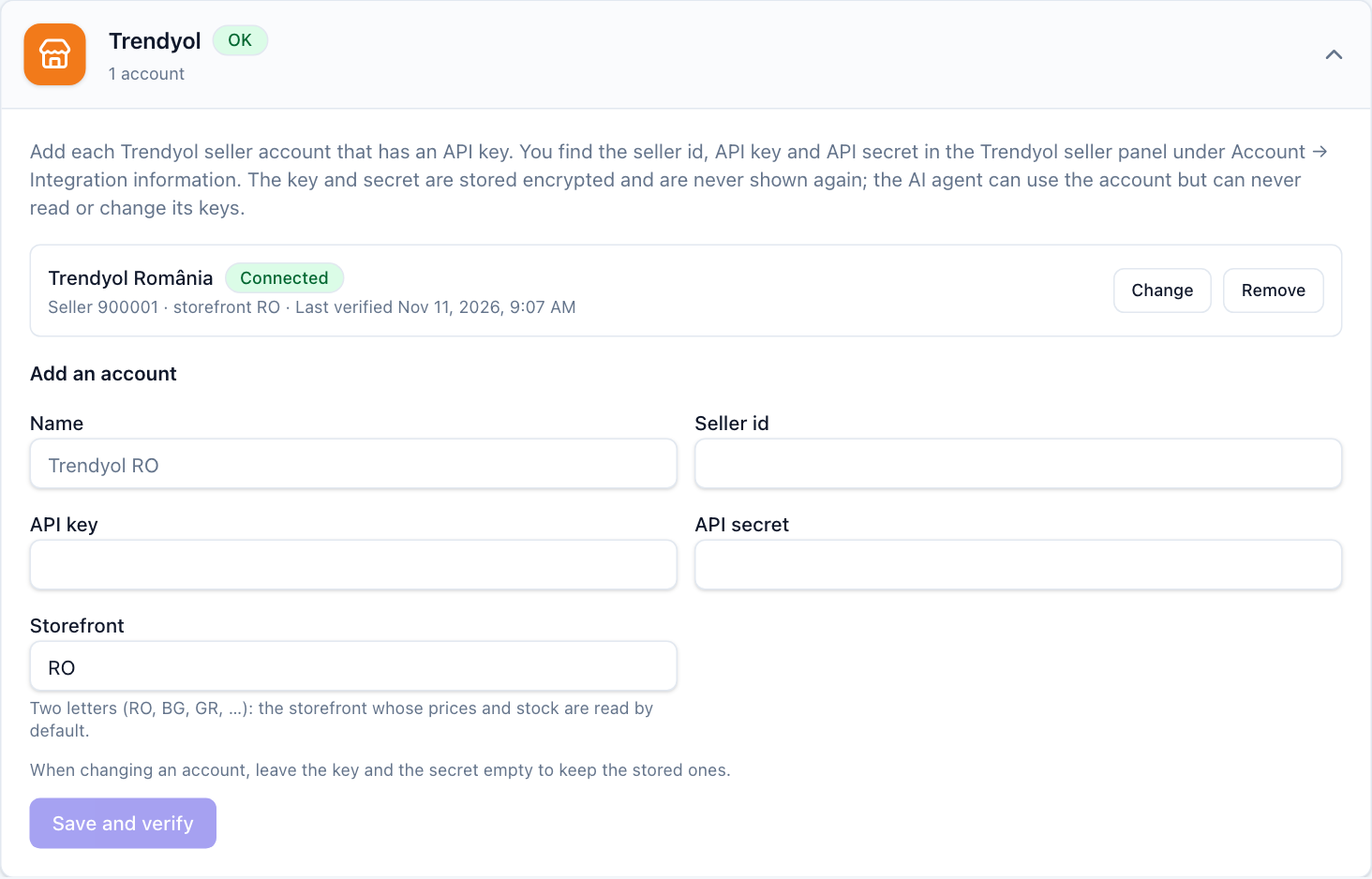
- The seller id, API key and API secret from the Trendyol seller panel, under Account, Integration information
- The two-letter storefront you sell on, such as RO
How to connect it
- 1Copy the seller id, API key and API secret from the Trendyol seller panel.
- 2In SaleHero open Settings, Integrations, and the Trendyol card.
- 3Under Add an account enter a name, the seller id, key, secret and storefront, then press Save and verify.
- 4To see payouts, download the Payment Order Detail report from Trendyol and import it in SaleHero.
What it powers
The features that depend on this connection.
Orders
Every order from your store and your marketplaces in one list, with the invoice, the AWB, the stock and the history on the same page. Problems are flagged before the customer writes.
See detailsReturns
A return form for your customers, one case per return for your team, and the refused parcels that come back tracked in the same place. Each step has its own status, so you see what failed.
See detailsCOD and payouts
Import the courier or marketplace statement. SaleHero matches every line to an order and records the payment on the right invoice in SmartBill.
See detailsReal profit
SaleHero puts the full cost on every product, in every channel and country: purchase, customs, VAT, transport, commission. You see the margin that is left, not the one you hoped for.
See details
Learn it step by step
The guide pages that walk through this.
Questions we get
- Can I connect more than one seller account?
- Yes. Each account shows its own status: Connected, Error or Not verified.
- Are my keys safe?
- They are stored encrypted and never shown again. An AI assistant connected to SaleHero can use the account but can never read or change its keys.
Connect your tools and see the first numbers
Most connections take a few minutes. The first data lands the same day.