 SaleHero
Menu names in this guide (for example Settings, Integrations) are the ones you see in SaleHero after you sign in. The screenshots show a demo shop.
All guides
Connect invoicing and e-Factura
SmartBill and Oblio keys, and the ANAF SPV sign-in.
SmartBill
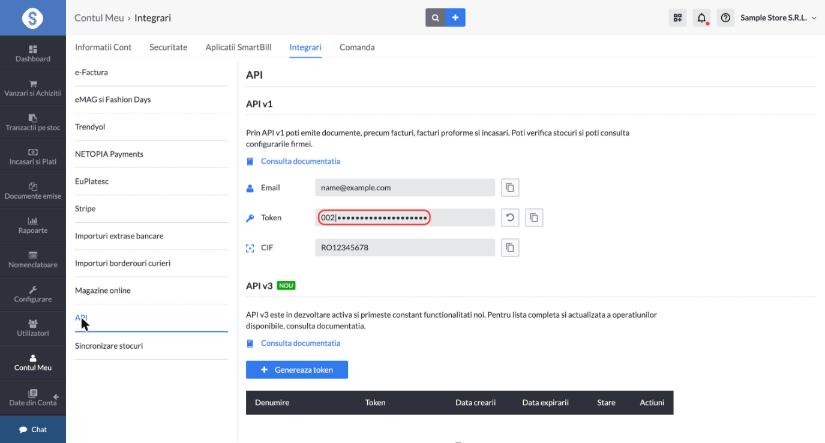
- 1Sign in to SmartBill Cloud and open Contul Meu, then Integrări.
- 2Choose API in the list on the left.
- 3In the API v1 block copy the Email, the Token (copy icon) and the CIF.
- 1In SaleHero open Settings, tab Connection.
- 2Fill in the CIF, the SmartBill email and the API token.
- 3Click Verify & save.
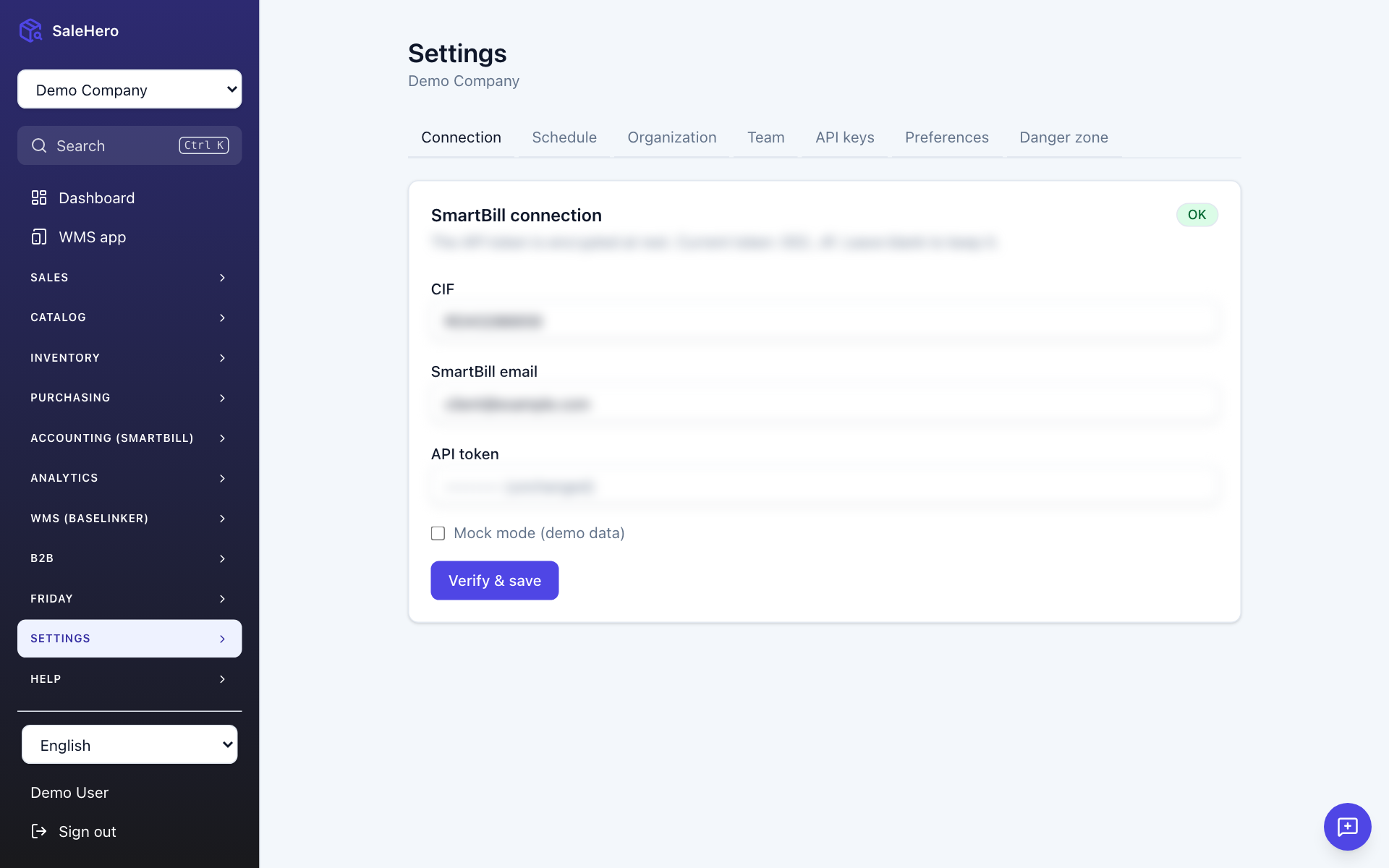
Don't press the regenerate icon next to the token in SmartBill: it stops every other program that uses the old token.
ANAF SPV (e-Factura)
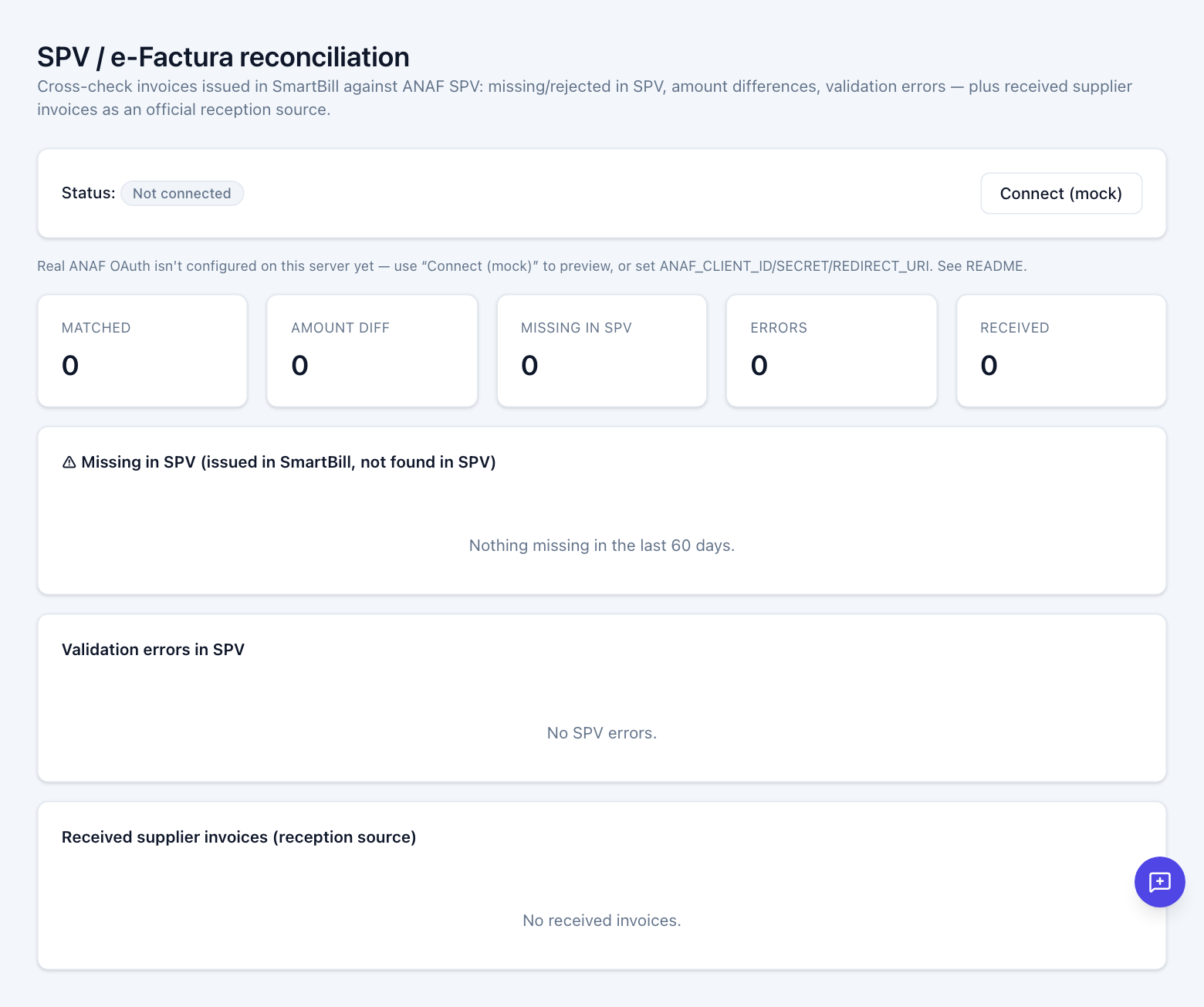
SPV has no key to copy. You sign in once at ANAF with the company's qualified digital certificate and allow SaleHero to read e-Factura messages.
- 1Plug in the token with the company's digital certificate on the computer you use.
- 2In SaleHero open the SPV page and click Connect.
- 3At ANAF pick the certificate, enter its PIN and allow access. You come back to SaleHero connected.
Try it on your own shop
Create an account, connect your tools and the first data lands the same day.