 SaleHero
Menu names in this guide (for example Settings, Integrations) are the ones you see in SaleHero after you sign in. The screenshots show a demo shop.
Connect ads and analytics
Meta Ads, Google Ads, Google Analytics 4 and Search Console.
Meta Ads
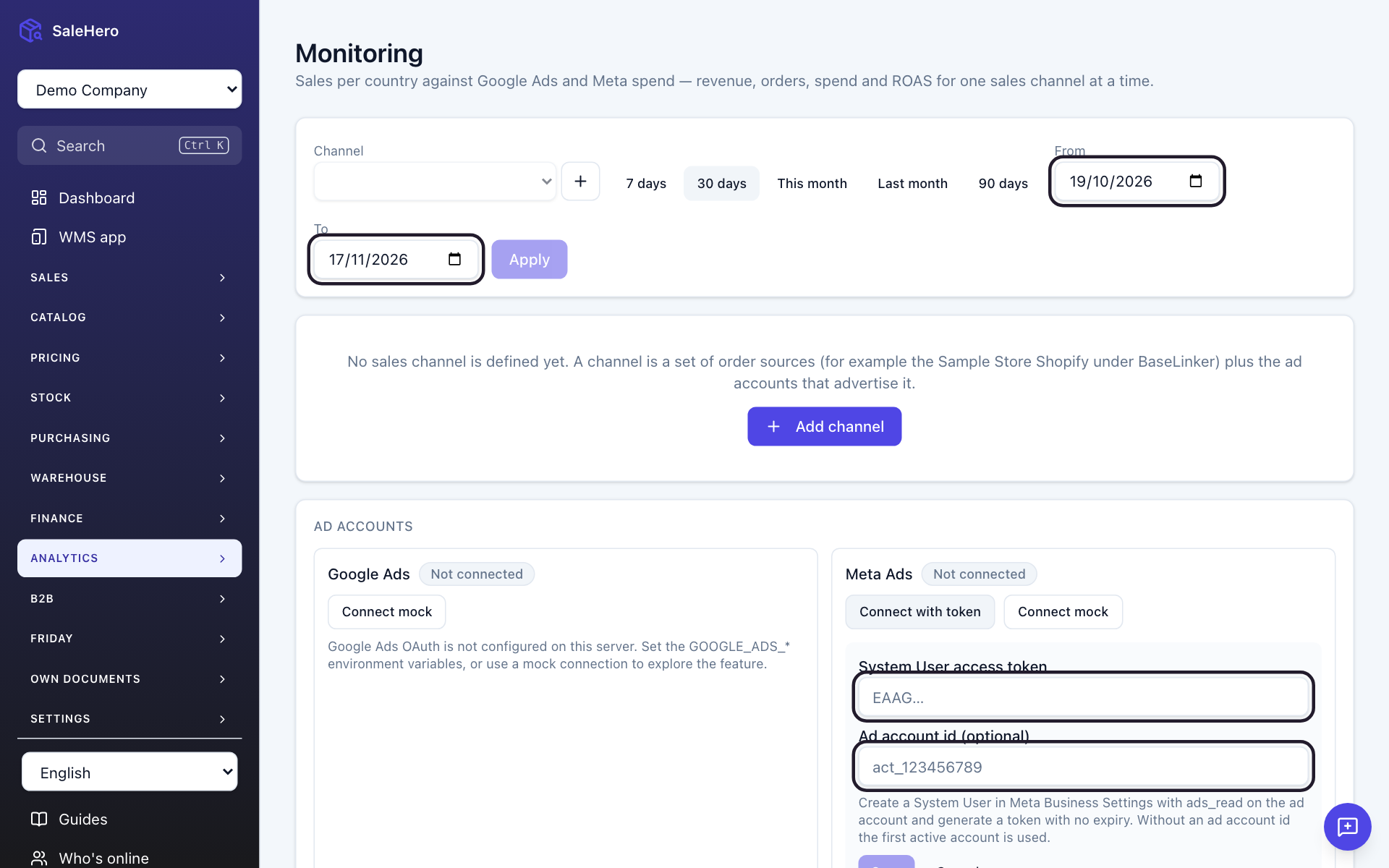
Click Connect on the Monitoring page and sign in to Facebook, or paste a System User token if your server has no Meta sign-in.
- 1In Meta Business Settings open Users, then System users, and add a system user.
- 2Assign it the ad account, then click Generate new token, tick ads_read and choose no expiry. Copy the token.
- 3Copy the ad account id too (it starts with act_).
- 4In SaleHero open Reports, then Monitoring, click Connect with token and paste both.
Google Ads
No key to copy. On the Monitoring page click Connect next to Google Ads, sign in with a Google account that can see the ad account and allow access.
Google Analytics 4
No key to copy. In Products, Pricing engine, click Connect, sign in with a Google account that has access to the GA4 property, allow access and select the property.
Search Console
No key to copy. In Marketing, SEO, click Connect, sign in with a Google account that is a user of the site's Search Console property and allow access.
Try it on your own shop
Create an account, connect your tools and the first data lands the same day.